
Skip to content

Nightclub management software: Every tool your night needs.

Sell tickets and passes, book tables with deposits and packages, run the door and the floor, and see how every event sold. Everything below is on the one plan.

Event management

Build each night once, with its tickets, tables and add-ons, and repeat it on a schedule.

  • Create one-time or repeating events
  • Sell tickets and/or tables per event
  • Add promo codes, add-ons, and artist lineups
Read the events guide

Table management

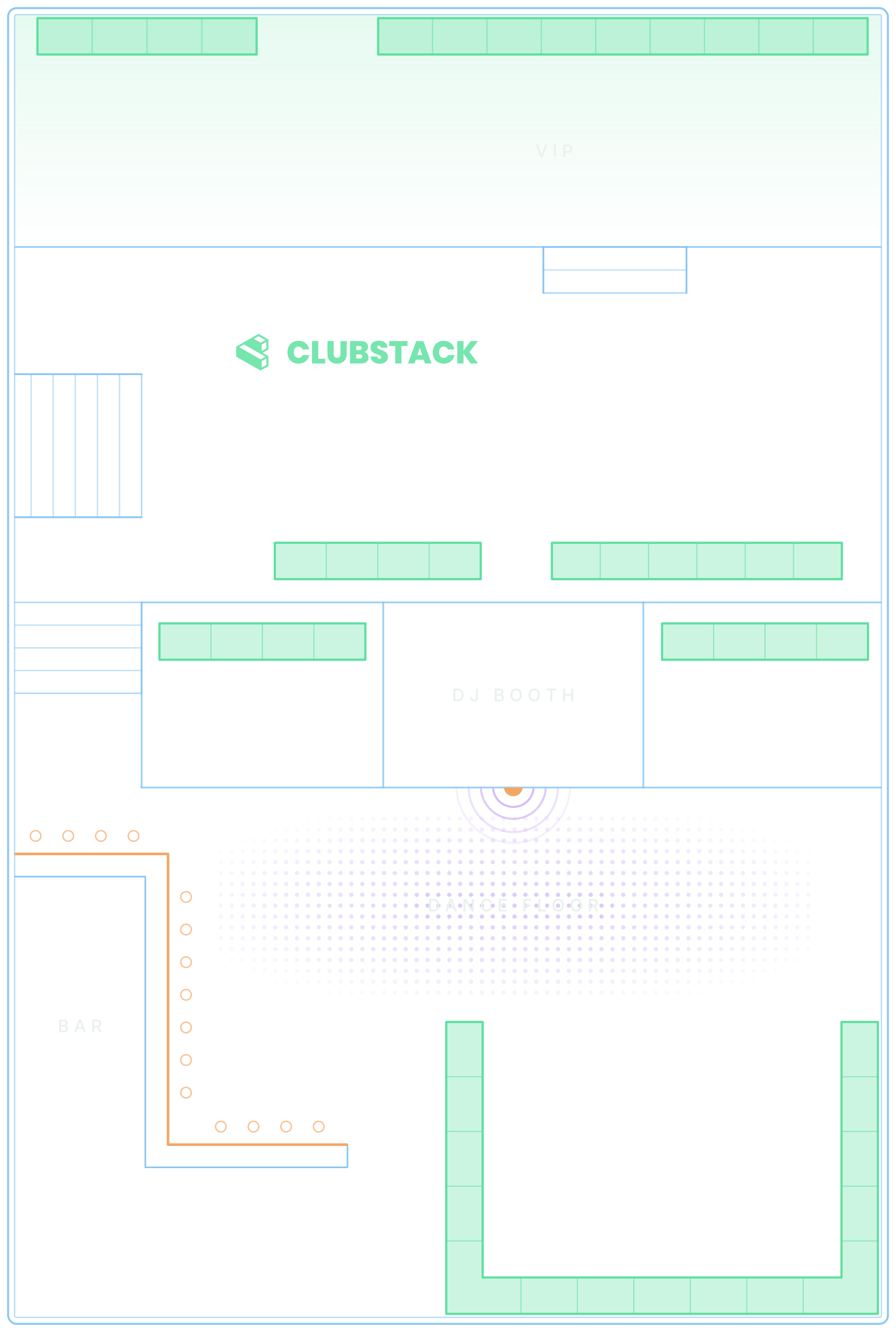
See the whole floor at once, with every booking, arrival and deposit on the map.

  • Assign reservations to an interactive layout
  • Track arrival, guest count, and table status
  • Add staff assignments, internal notes, and feedback
More on VIP table booking

AI-powered customer chat

Help guests get answers and complete bookings faster.

More on AI guest chat

Pulse

See what needs someone right now, across the venue.

  • Requests, deposits, chats, the door and more
  • Remind, resend or open the booking from the alert
  • Each alert clears itself once the problem is fixed
More on live alerts

Deposits

Take deposits upfront to reduce no-shows.

  • Collect deposits from the calendar or booking widget
  • Create internal reservations and request deposits
  • Take table payments through chat when needed
Deposits on VIP tables

Table packages

Sell bottles and service with the table, paid upfront.

  • Guests add a package when they book a table
  • An upgrade email offers one before the night
  • Send a pay link to add one to a reservation
How table packages work

Ticketing

Sell tickets online and scan them quickly at the door.
  • Create ticket tiers with limits and pricing
  • Send PDF tickets with QR codes by email
  • Scan tickets with duplicate and void protection
More on selling tickets online

Guest list

Take names from promoters and guests, approve each one, and scan every guest in.
  • Promoters add names or share their own sign-up link
  • Guests ask to join from the night’s ticket page
  • A QR code for every guest, scanned like a ticket
More on the guest list app

Promoters

Give each promoter their own dashboard, links and guest lists, with commission worked out.

  • Own links and sales for every promoter
  • Set commission on every kind of sale
  • Record payouts and see what’s still owed
More on the promoter app

Passes

Sell season passes and memberships that guests carry all season.

  • Cover every event or only the nights you choose
  • Set each pass’s length and entries
  • Scanned at the door from the guest’s account
More on event passes

Door clicker

Count everyone through the door, right beside the scanner.

  • Tap Male or Female to count guests in, with a live total
  • One shared count across doors, even offline
  • Get an alert at capacity, and see each night in Reports
More on the Door Clicker

Embeddable widgets

Add booking and ticket sales directly to your website.

  • Full event calendar widget
  • Single event checkout widget
  • Light and dark styling
More on booking widgets

Customer database

Every order, booking and chat builds one customer list that stays in your account.

  • Every visit, booking, and purchase builds a profile
  • View past chats and customer activity
  • Export customer data anytime
More on the guest CRM

Layout & section builder

Set up your floor plan once and reuse it everywhere.
  • Upload a floor plan and create sections
  • Set minimums, deposits, and capacity rules
  • Place and color-code tables and sections
More on floor plans

Staff roles

Door staff, hosts, servers and managers each see only what their job needs.

  • Create custom roles with specific permissions
  • Restrict sensitive areas like payments and settings
  • Invite staff and manage access centrally

How-to guides

Train new staff on your own dashboard, guided by voice.

  • A voice explains each part as it glows on the page
  • Each person gets only the chapters their role uses
  • Sample content shows how it works, then is removed
How the guides work

Reporting

See what every event sold and how the door went, and compare any two.

  • Track sales for tickets, tables, deposits, and add-ons
  • Compare events to spot what works best
  • Monitor widget, tracking links, and chat performance
More on event analytics

Automatic notifications

Confirmations and reminders go out on their own, to guests and to your team.

  • Confirmation emails for tickets, tables, and deposits
  • Reminders and follow-ups when needed
  • Team invite emails and optional SMS

Marketing & tracking

Know exactly where bookings and sales are coming from.

  • Add Meta Pixel, GA4, Google Ads, TikTok Pixel
  • Send every purchase to them, with no code to add
  • Use tracking links for campaigns, flyers, or partners
More on tracking links

Your next event starts here.

Sell tickets, book tables and check guests in from one place.