Promoter app: Every promoter gets their own login, links and numbers
Invite your promoters to a portal of their own. They copy a link to each night, fill their guest lists and watch their sales come in, while you choose what they see and what each sale earns. VenueStack works out the commission, and Payouts keeps track of every payment you make, night by night.
From the invite to the payout.
A promoter portal for your club, in the order you set it up.
Invite them
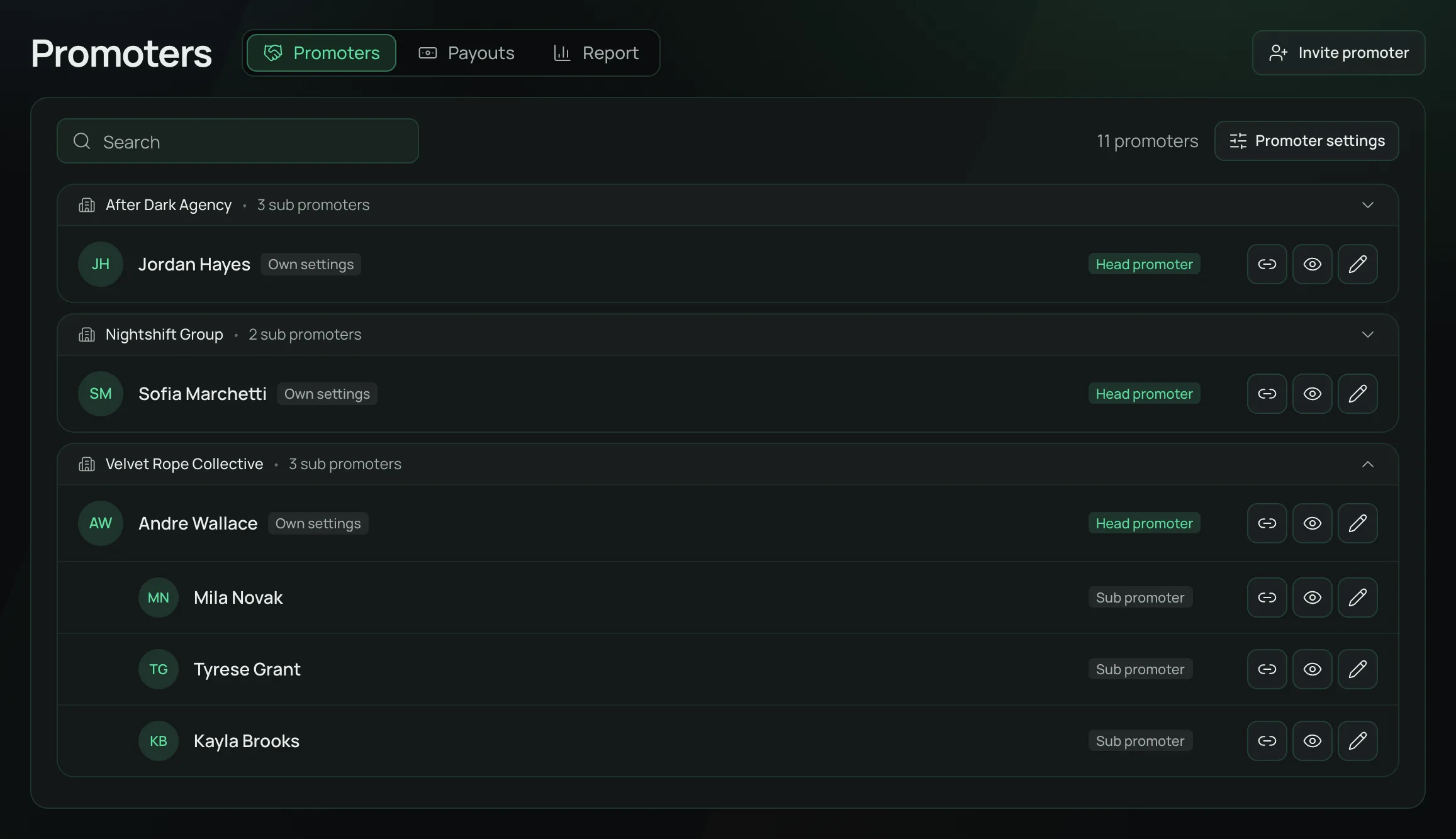
Open Promoters and invite each promoter by name, email and phone. They sign in with a code sent to their email, or with Google, to a dashboard kept apart from your team’s.
Read the guideSet what they see and earn
In Promoter settings, choose what promoters see and set a rate for tickets, tables, passes and the guest list. Any promoter can have settings of their own.
Read the guideThey share their links
Their dashboard lists your upcoming nights with a link to each, and one to your whole calendar. A ticket, table or pass bought through their link, or with a promo code tied to them, is theirs.
Read the guidePay them and keep track
Record each payment on Payouts against the nights it covers, and the promoter confirms they received it. The Report tab shows what each one sold and earned.
Read the guide
In the product.
Promoter app as your team and your guests see it.
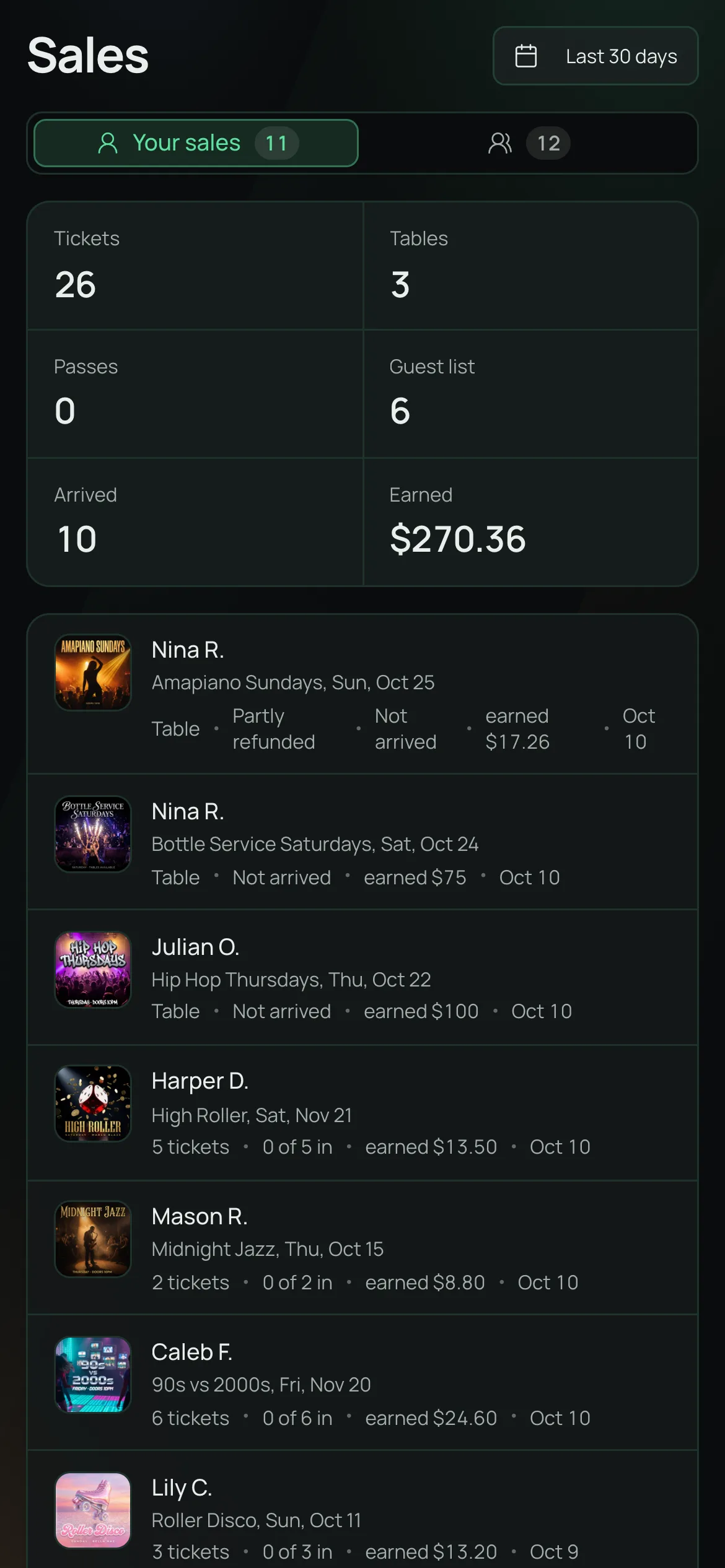
Their sales, on their phone
Promoters see the tickets, tables and guest list names they brought in, who arrived and what they’ve earned.
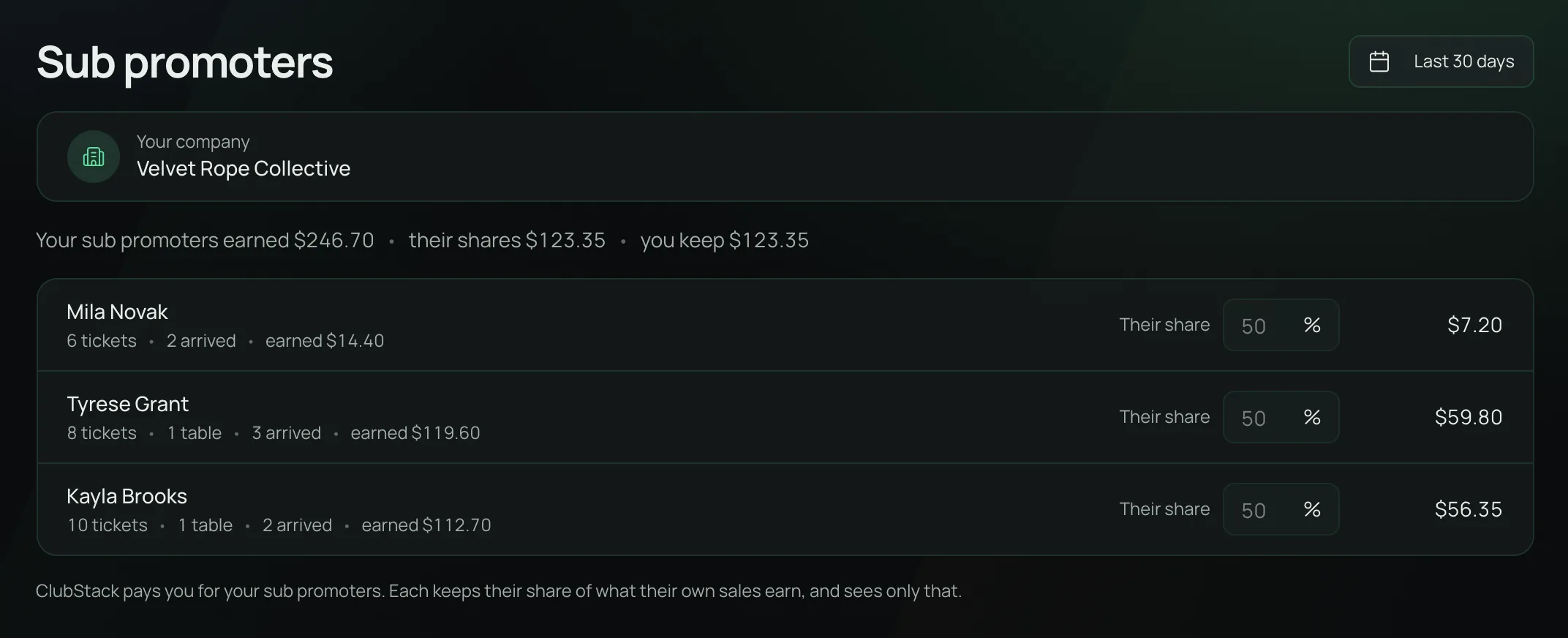
Head promoters run their own team
A head promoter sees what each sub promoter sold, sets their share and keeps the rest.
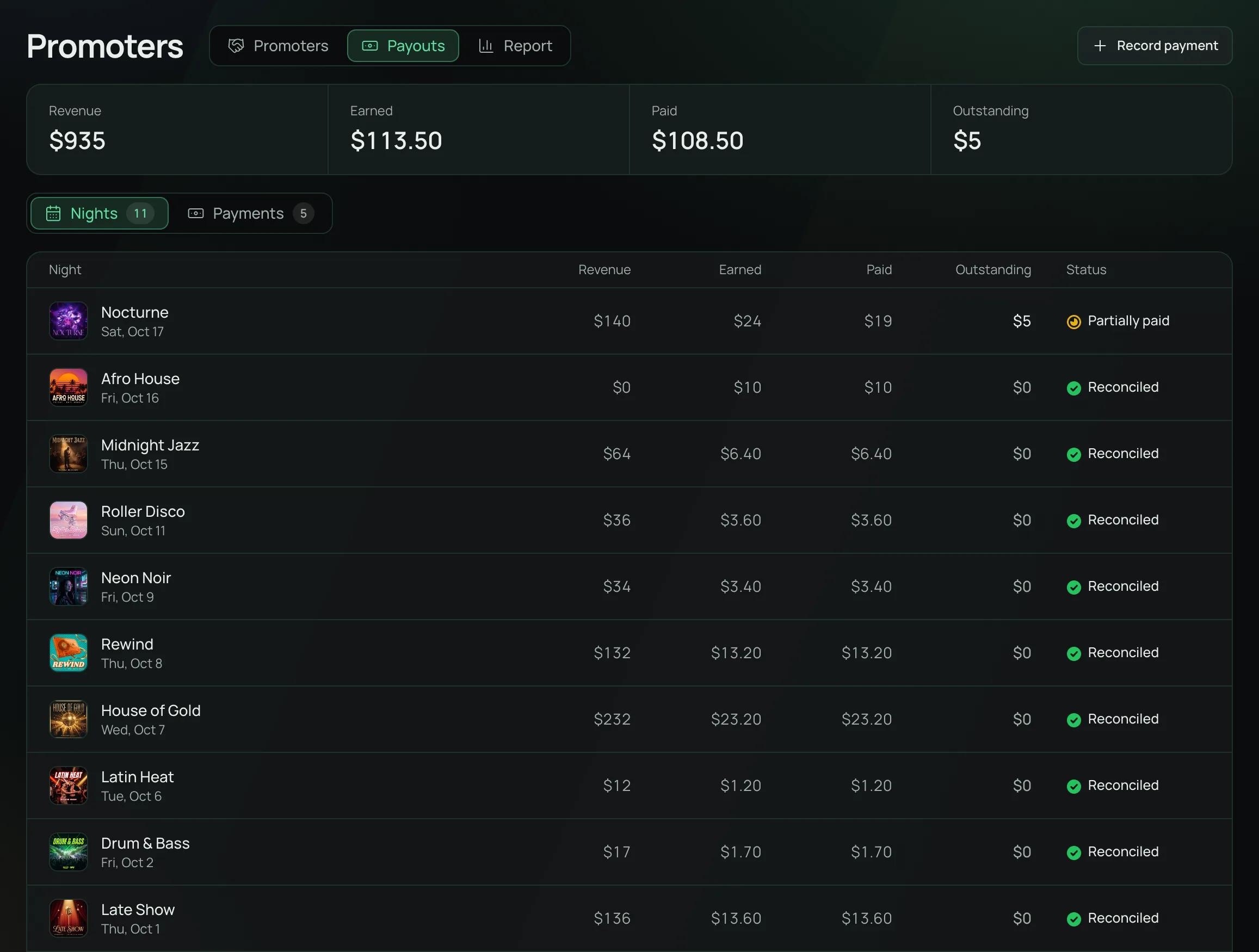
What you owe, night by night
Each night’s revenue, what your promoters earned, what you’ve paid and what’s still owed, with every payment on record.

Everything in the promoter portal.
Links, guest lists, commission and payouts, on the one plan.
Their dashboard
Their dashboard
Your upcoming published nights, each with Copy link, and a link to your whole calendar.
Each night taking names, with their own sign-up link, the names they added and the spots they have left.
What came through their links and codes, and what it earned them, over any dates.
A push to their phone for each sale credited to them, once they turn alerts on.
A promoter working for several venues switches between them, and keeps one name and phone across all of them.
What they’re owed for each night, every payment you’ve recorded to them, and Confirm receipt once the money arrives.
Commission
Tickets, tables and passes earn a percentage of each sale or an amount per ticket, table or pass. The guest list earns an amount per guest who arrives.
A percentage is of the sale before fees and tax, and a refund takes back what the sale earned.
A new rate applies to sales from then on, so past nights keep the rate they sold at.
Tie a promo code to a promoter and sales with it are theirs, even without their link.
Payouts
Once a night is over: the revenue your promoters brought in, what they earned, what you’ve paid and what’s still outstanding.
Bank transfer, e-transfer or cash, with a reference, a note and a receipt. One payment can cover several nights.
A payment shows Awaiting receipt until the promoter confirms it from their dashboard, and then it’s locked.
A refund that lowers a night after you paid it marks the night Overpaid, until you mark it reviewed.
A head promoter pays their sub promoters from their own dashboard, out of the payments they confirmed from you.
You pay promoters however you already do. VenueStack keeps the record and never moves the money.
Promoter companies
A promoter adds sub promoters from their own dashboard and becomes the head of a company, or you place a promoter under a head.
Sub promoters earn at the head’s rates, and you pay the head for the whole company.
The head sets the share each sub promoter keeps. Only the two of them see it.
The head names the company, and it shows on your list and in your report.
What you control
Guest names show as first name and last initial, and promoters never see a guest’s email or phone.
Switch an event to Hidden from promoters and it leaves their list.
Their links still open your pages, but new sales credit nobody. Past sales stay in your reports.
Invite every promoter you work with, on the one plan.
For rooms that promoters fill.
- NightclubsPromoter teams selling tickets and tables and filling guest lists, with every night’s commission worked out and every payout on record.VenueStack for nightclubs
- LoungesA few promoters with tables to sell, each on a rate of their own.VenueStack for lounges
- Ticketed eventsPromoters and partners selling one show, each through their own link.VenueStack for ticketed events



On the one plan.
Promoter app comes with every other feature on one published price, with a free trial before you pay.
One plan. Everything included.
Every feature on every account, and you can cancel whenever you like.
- Event calendar widget
- Ticket sales
- Table management
- Deposits
- Add-ons
- Passes
- Email campaigns
- Reporting
- QR door check-in
- Guest profiles
- Branded public pages
- Team roles and permissions
Questions, answered.
More questionsA club promoter app is where promoters see the nights they can sell, copy a link to each, fill their guest lists and follow their sales. In VenueStack it is a promoter portal: your promoters sign in with their email or Google and see only what you allow.
No. Promoters sign in to a dashboard of their own, apart from your team’s, and see only their links, guest lists and sales.
No. VenueStack works out each promoter’s commission from your rates, refunds included, and you pay them your own way. Record each payment on Payouts and you see what’s paid and still owed for every night, and the promoter confirms they received it.
By the link the guest bought through, or a promo code tied to the promoter. When the code and the link name different promoters, the code wins. Each order is credited from its own visit, so nothing is stored on the guest’s phone.
Only what you allow. Guest names show as first name and last initial, you choose whether they see arrivals and sale amounts, and promoters never see an email or phone number.
Yes. A head promoter adds sub promoters, sets each one’s share and names the company. Sub promoters earn at the head’s rates, and you pay the head.
From their own dashboard. You pay the head for the whole company, and once they confirm they received it, they record what they pay each sub promoter out of that money. Each sub promoter confirms receipt the same way, and those payments stay between them.
It’s included in the one VenueStack plan, with every other feature, and there’s a 14-day free trial. The price is on our pricing page, and promoters pay nothing to sign in.
Keep reading.
The features next to promoter app, and the guides behind it.
Playbooks


Your next event starts here.
Sell tickets, book tables and check guests in from one place.