AI event chatbot: Answer every table question while your team works the floor
A chat button on your booking pages and your own website, answered by an AI concierge that knows your venue, your events and your menus. It checks table availability, shares the night’s details and hands the chat to your team when a guest needs a person.
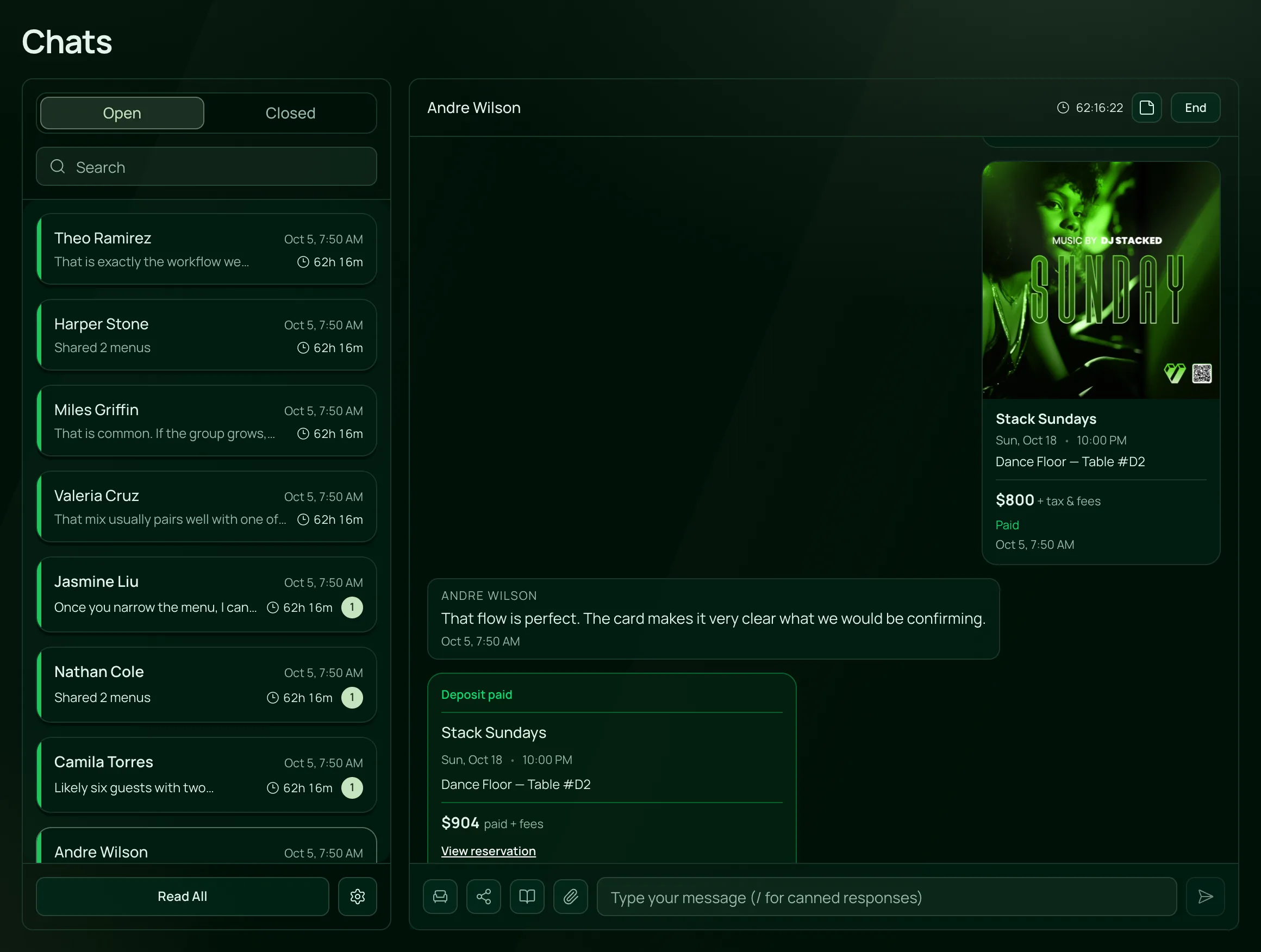
From the first message to the booking.
An AI concierge for your venue, in the order you set it up.
Turn on chat
Switch on Show chat on your pages, and the Chat button appears on your events page and event pages. Guests leave their name, email and phone, then message you.
Read the guideTeach the concierge
Turn on Answer with AI, give it a name and describe your venue, what you offer and how reservations work. Add common questions one per line, with the answer after a vertical bar.
Read the guideAdd it to your website
On the Chat widget, pick a corner, Dark or Light and a button colour, then paste its code into your site’s header or footer.
Read the guideTake over when it matters
Every chat waits in one inbox. Click Take Over to reply yourself, share a menu or an event, or offer a table with a Pay Now button for the deposit.
Read the guide
In the product.
AI guest chat as your team and your guests see it.
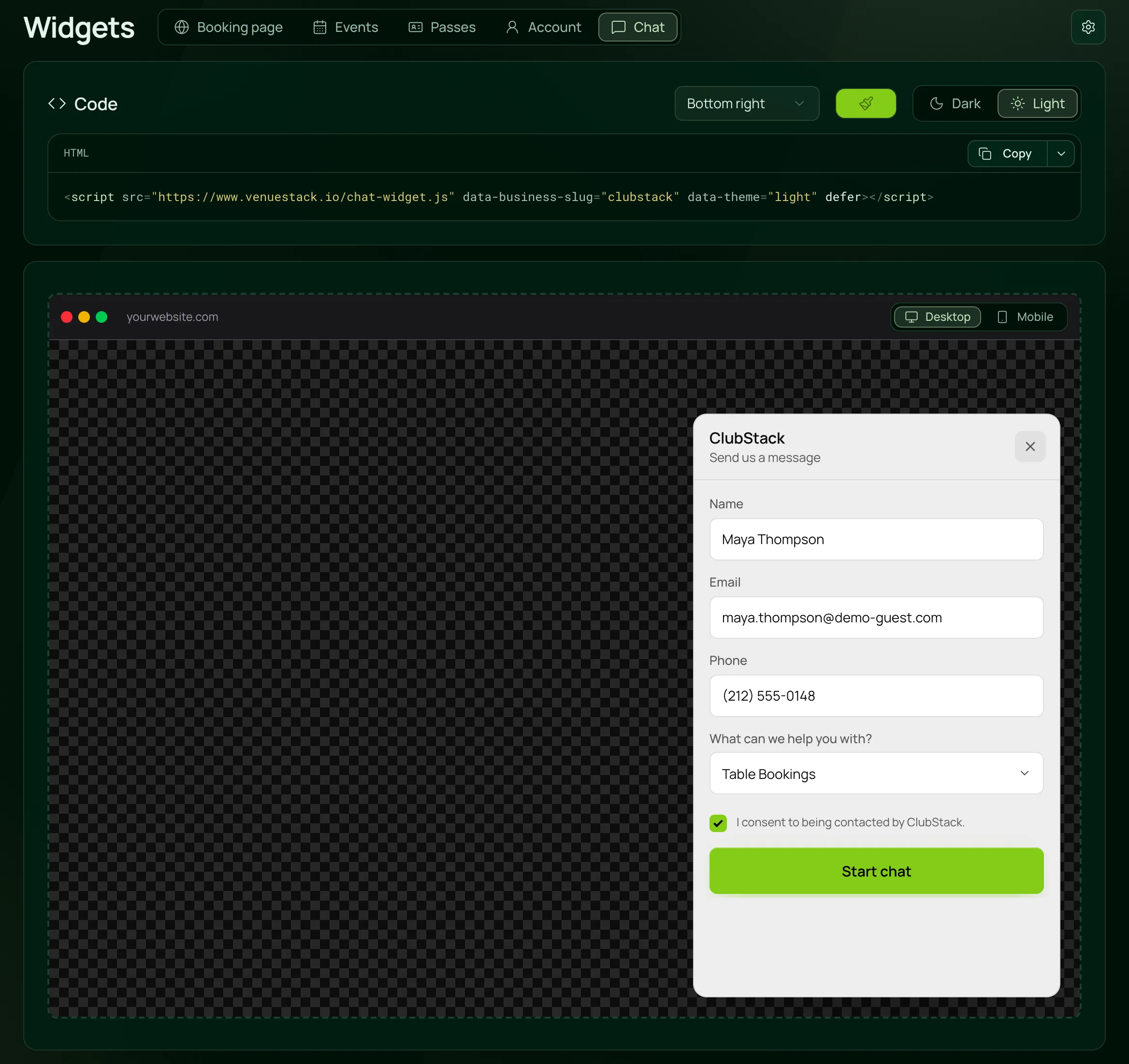
The chat guests see
A chat button on your pages and your website, asking what the guest needs before the conversation starts.

Everything in guest chat.
The concierge and the team inbox, on the one plan.
The concierge
The concierge
It answers from what you write about the venue, what you offer and reservations, with your published events and uploaded menus.
Leave a box empty and it tells the guest it doesn’t know.
Write the answers to the questions you get every week, such as the dress code, one per line.
It checks table availability and shares the event, so the guest can book.
Give it a name, or guests see your venue’s name followed by Concierge.
Hand-off to your team
It hands over when a guest asks for a person or raises a complaint, safety, legal or payment issue. Guests can also tap Speak to a person.
Set Replies first to Your team and new chats wait for you. If no one joins within about 2 minutes, the concierge steps in.
Click Take Over and the concierge stops answering that chat.
A guest message with no answer for 10 minutes shows in Pulse.
The inbox
Search, an unread count in the sidebar and new messages in the bell, with closed chats on their own tab.
Type / to pick a saved reply, with {{first_name}} filling in the guest’s first name.
Pick a table, set the deposit and when the link expires, and the guest gets a card in the chat with Pay Now.
Share a menu or an event link from beside the message box.
Leave a note on the chat that only your team sees.
After the chat
If a guest leaves before you answer, send one follow-up by email, and their reply comes to your venue’s inbox.
Every chat is on the guest’s customer profile, under Chats.
How many chats guests started, how long they lasted, and the tables booked from a chat offer.
For venues that get asked about tables.
- NightclubsTable and dress code questions answered while the team works the floor, and table offers paid in the chat.VenueStack for nightclubs
- LoungesMenus shared in chat and reservation questions answered, with every chat on the guest’s profile.VenueStack for lounges
- Beach clubsDaybed and cabana questions answered, with a Pay Now button for the deposit.VenueStack for beach clubs



On the one plan.
AI guest chat comes with every other feature on one published price, with a free trial before you pay.
One plan. Everything included.
Every feature on every account, and you can cancel whenever you like.
- Event calendar widget
- Ticket sales
- Table management
- Deposits
- Add-ons
- Passes
- Email campaigns
- Reporting
- QR door check-in
- Guest profiles
- Branded public pages
- Team roles and permissions
Questions, answered.
More questionsQuestions about your venue, events and menus, from what you write in its settings and the events you’ve published. It shares menus and event links, checks table availability and hands the chat to your team when a guest needs a person.
No, not by itself. It checks availability and shares the event so the guest can book, and your team can send a table offer with a Pay Now button for the deposit.
It says so. The concierge answers from what you write in its settings, your published events and your uploaded menus, and while it’s answering, the guest can tap Speak to a person.
Yes. Set Replies first to Your team and new chats wait for you, or click Take Over in any chat. If no one joins a waiting chat within about 2 minutes, the concierge steps in.
Yes. Copy the code from the Chat widget and paste it in your site’s header or footer. The chat button doesn’t appear inside embedded calendar or event widgets, so add it separately.
Yes, and it’s built for nights out too. It shares your menus, answers reservation questions and checks tables, and your team can take a deposit in the chat.
It’s included in the one VenueStack plan, with every other feature, and there’s a 14-day free trial. The price is on our pricing page.
Keep reading.
The features next to ai guest chat, and the guides behind it.

Your next event starts here.
Sell tickets, book tables and check guests in from one place.