Nightclub software: Run the full night from one system
Sell tickets and VIP tables with deposits, run the guest list and the door, and read the night back the next morning. One plan, every feature.

Nightclubs on VenueStack.
Recurring nights, VIP tables and a door that has to move fast. Your team sells, books, scans and reports from one account, and every guest lands in one list that stays yours.

Where a club night leaks money.
Tickets in one app, table requests in DMs, deposits by bank transfer and the guest list on a printout. Every hand-off between them costs a booking, or an hour the next morning.

Tables booked by message
A table promised in a DM has no deposit behind it, and those are the groups that don’t show.
A door that can’t see the floor
When the scanner, the guest list and the tables live apart, hosts call the door to ask who has arrived.
A morning spent adding up
Ticket sales, table deposits and the door count come from different places, so nobody can say how the night went until someone puts it back together.
Built around how a club night runs.
- Branded event pages
- Ticket sales
- VIP tables
- Guest lists
- Promoters
- Guest chat
- QR check-in
- Reporting

Sell before doors open
Branded event pages, ticket releases, promo codes and add-ons, so more of the night is paid for before the queue forms.
Explore the platformSell the VIP tables
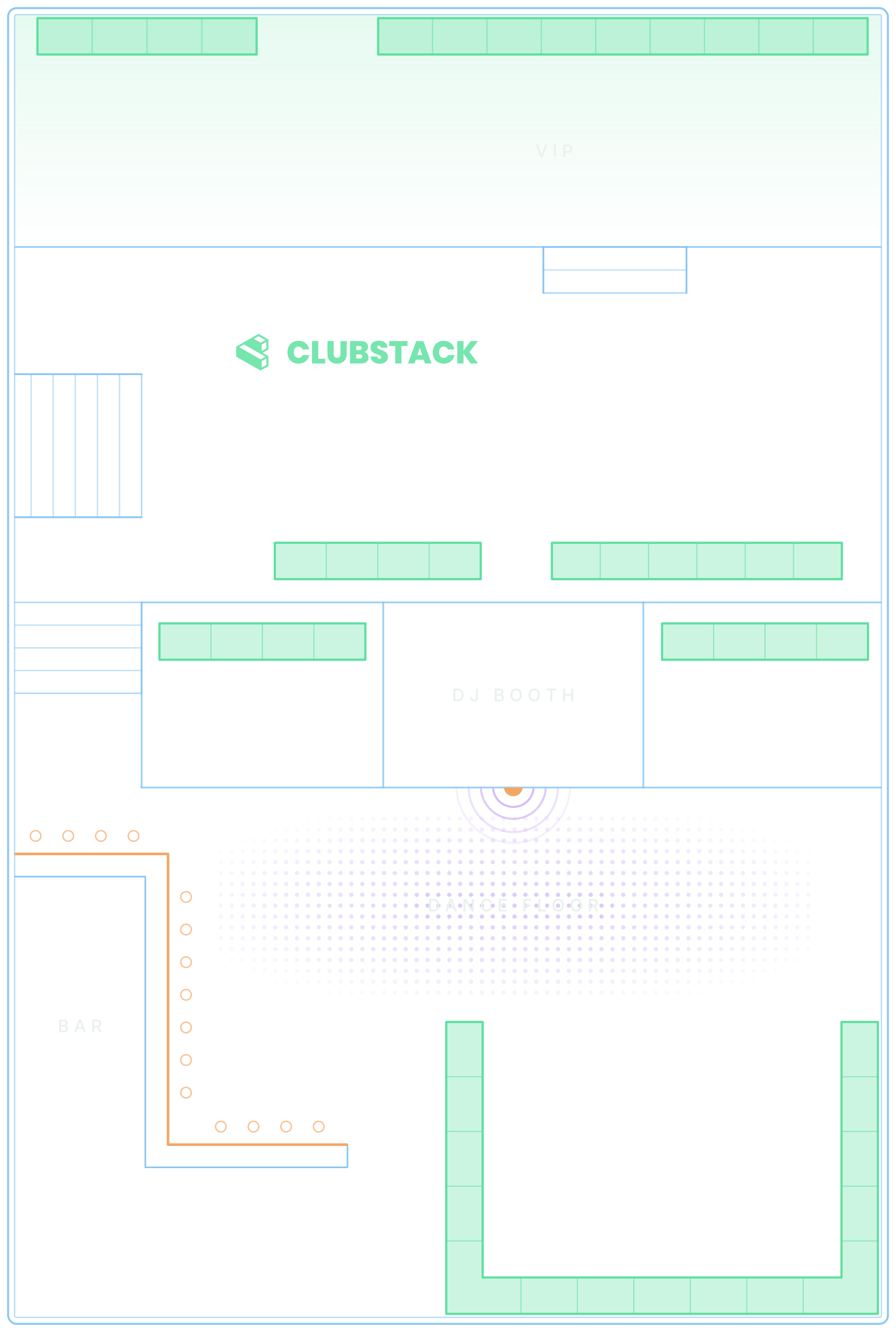
Guests pick a section on your floor plan, see the minimum spend and pay the deposit when they book, and your team or auto seat puts them on a table. Timeslots split the night when a table can turn.


Run the floor
Approve requests, mark arrivals, seat and move parties and close out, on the floor plan your guests booked from. It keeps working when the signal drops.

Know your guests
Every order, booking and chat builds one profile with tags and notes, so a regular gets treated like one.

A club night, start to finish.
What VenueStack does at each stage of the night. All of it is on the one plan.
Before doors
Before doors
Branded event pages and a live calendar, on your own VenueStack page or embedded in the website you already have.
General admission, VIP and presale tiers, release pricing, promo codes and add-ons at checkout.
Guests pick a section, see the minimum spend and pay the deposit when they book.
Tickets and tables are held for 10 minutes while a guest pays, so the last table can’t sell twice.
Each promoter signs in to a dashboard of their own, shares a link to every night and fills their guest list, with commission worked out from your rates.
At the door
Names from promoters and your ticket page wait for your approval, then each guest gets a QR code of their own.
Tickets, passes and guest list names scan in the check-in app on any phone or iPad, and any guest can be found by name.
Tonight’s tickets and passes are saved on each device, so the scanner keeps working when the signal drops.
Count guests in by hand, beside the scanner. Every door counting the same event adds to one total.
Tickets, table bookings and passes go into Apple Wallet or Google Wallet.
On the floor
Requests, approvals, deposits, arrivals and seating, on the same floor plan your guests booked from.
Table requests nobody has answered, deposits still unpaid and a scanner that stopped checking in, flagged as they happen.
An AI concierge answers questions on your pages and hands the conversation to your team when it needs a person.
Hosts, door staff, servers and managers each see only what their role needs.
The morning after
Ticket sales and check-ins, table bookings and deposits, and the door count, event by event.
What each promoter sold and earned, night by night, what you’ve paid them and what’s still owed.
Every order and booking builds one customer list, in your account, ready to export.
Send to your list by tag, spend or purchase, from a monthly sending allowance.
Know what needs you, right now
Pulse watches the whole venue and lists what someone has to act on, from a table request nobody has answered to a door phone that stopped scanning.
- Requests, deposits, chats, the door and more
- Remind, resend or open the booking from the alert
- Each alert clears itself once the problem is fixed

What it costs.
One published price for every feature, with a free trial before you pay.
One plan. Everything included.
Every feature on every account, and you can cancel whenever you like.
- Event calendar widget
- Ticket sales
- Table management
- Deposits
- Add-ons
- Passes
- Email campaigns
- Reporting
- QR door check-in
- Guest profiles
- Branded public pages
- Team roles and permissions

Comparing nightclub software?
Each side-by-side sets out what the other platform’s own pages describe and what it costs, next to VenueStack.
- 1. VenueStackOursTickets, VIP tables with deposits, passes and the door on one published plan16.5 of 19
- 2. VenueStack vs FourvenuesSelling through many channels, with promoter ticket quotas and detailed reservation rates16 of 19
- 3. VenueStack vs SpeakeasyTwo-way POS sync, a website built and managed for you, and ID-checked deposit pay links15.5 of 19
- 4. VenueStack vs FennecBar stock and inventory beside tables, with two-way POS sync15.5 of 19
- 5. VenueStack vs Mr BlackBottle-service reservations, with POS integration on its Premium plan15 of 19
- 6. VenueStack vs GuestiiNo subscription, a fee per paid entry, and Square at the door and bar14.5 of 19
- 7. VenueStack vs TablelistProVIP tables and promoter tools, or admissions alone on its Basic plan14.5 of 19
Scored on the 19 capabilities each platform’s own pages describe for a night out. We make VenueStack, so the method is public.

Set up with our team.
Start a 14-day free trial, and we’ll set up your first night with you before anything goes live.
Your floor plan, designed
Send us your layout and our team designs your floor plan during onboarding.
Your first night, built
Rebuild one real night with us: ticket types, tables, deposits and minimums, with hands-on virtual training.
Your team, trained on the job
Narrated How-to guides play on the real dashboard pages, for just the parts each role uses.

Software that runs a club night: selling tickets and VIP tables, taking deposits, running the guest list and the door, and reporting on the night afterwards. Some platforms do one part. VenueStack does all of it on one plan, with your customer list in your own account.
It depends on the platform: some charge a fee on every ticket, some quote each venue, and some publish a monthly plan. VenueStack is $200 a month, or $180 a month billed yearly, with every feature, plus 4% processing fees, at least $2 and at most $50 (C$2.50–C$50, €2–€50, £1.50–£50) on each paid online order and the card processing fee. You choose whether guests pay those fees at checkout, free tickets and bookings carry no fee, and there is a 14-day free trial.
Yes. General admission and VIP tickets, release pricing, promo codes and VIP table bookings with deposits and minimum spends all run from one dashboard, on the same event.
Door staff scan the QR code on a ticket or pass with the check-in app on their phone, or find a guest by name, and table guests are marked arrived on the Tables page. Every scanner adds to one live count, and a ticket that was already used shows as already checked in.
Yes. Each promoter signs in to their own dashboard with a link to every night, a guest list for each night that takes one, and the sales credited to them. VenueStack works out their commission from your rates, and Payouts keeps track of what you’ve paid them.
Yes. Tonight’s tickets and passes are saved on each phone or iPad while it is online, so the scanner keeps working when the connection drops and syncs when it comes back. A ticket bought after the device went offline needs a connection to scan.
Yes. The booking widget embeds in your website, in light or dark. Guests pick a section on your floor plan, see the minimum spend and pay the deposit without leaving your brand.
Yes. Create the night once and set it to repeat weekly, monthly or on your own schedule. Save tickets, table rules, add-ons and promo codes for all future dates and every week has them, and you can still change a single night on its own.
Yes. Every ticket buyer, table booking and guest chat lands in your own account, and you can export the list whenever you like. VenueStack doesn’t market to your guests.
Most clubs are up and running within a day. Create your account, set up your floor plan and sections, publish your first event, and you are ready to sell. Your staff learn the dashboard from the How-to guides built into it, a narrated walkthrough of the parts each role uses, so there is no separate training to book.
Not today. VenueStack doesn’t integrate with a POS system or scan IDs at the door. If you need those, the comparisons on this site say which platforms describe them.
Running a nightclub, city by city.
Closing time, liquor licences, tax on the bill, staff wages and the year’s big nights in each city below.
All 72 city guidesYour next event starts here.
Sell tickets, book tables and check guests in from one place.