Apple Wallet and Google Wallet passes: Tickets in the guest’s wallet, ready at the door
Every ticket, table booking and pass can go into Apple Wallet or Google Wallet in one tap. The Wallet copy changes when the order or the event does, and your door scans tickets and passes straight from it.


From checkout to the door.
How Wallet tickets work, with nothing for your venue to turn on.
Guests add it
Add to Apple Wallet and Add to Google Wallet show on the confirmation page, in the confirmation email and in the guest’s account, with the one for their phone first.
Read the guideOne card per ticket
One tap adds every ticket in the order, each its own card with its own QR code, stacked together. A guest can send one to a friend from Wallet.
Read the guideThe door scans it
The scanner reads a ticket or pass from Wallet the same way as the email or the PDF, offline included.
Read the guideIt keeps up
A checked-in ticket shows Checked in, a voided one shows as void, and a change to the event’s time, place or image reaches the card. Once the night is over, the Wallet buttons go away.
Read the guide
In the product.
Wallet tickets as your team and your guests see it.
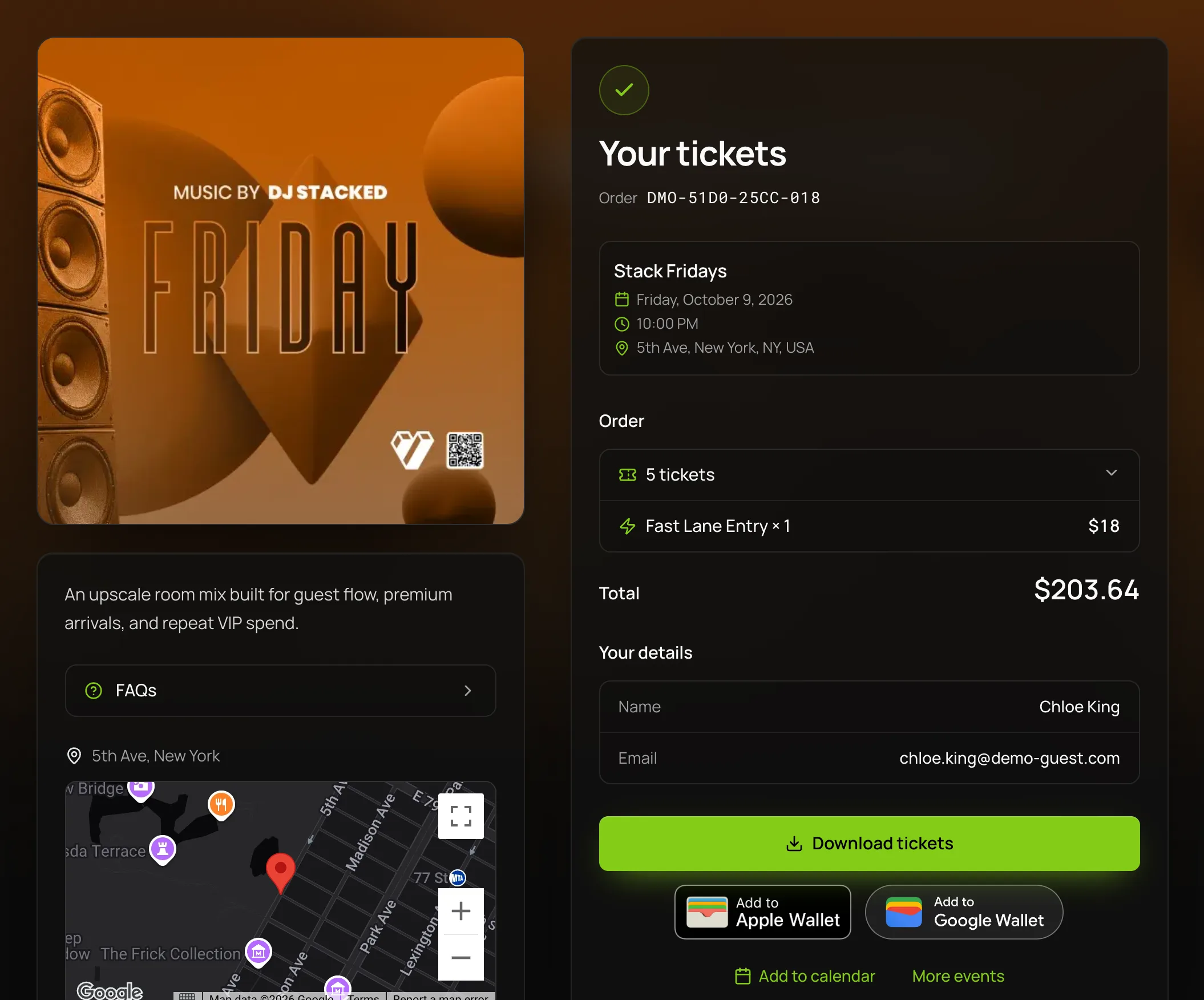
Wallet buttons on the confirmation
Add to Apple Wallet and Add to Google Wallet sit on the guest’s confirmation page, beside their tickets and the event.

Everything in Wallet.
Apple Wallet and Google Wallet, on the one plan.
Tickets
Tickets
Each with its own QR code, showing the event, date and time, ticket type and which ticket it is, such as 2 of 4.
A guest can pass one ticket to a friend from Wallet and keep the rest.
Once a ticket is scanned, its card shows Checked in and the code goes.
Table bookings
The event, date, arrival time, section and status, without the table number.
A new time, section or status reaches the card, and a canceled or refunded booking shows as void.
Table guests are marked arrived on the Tables page, so a booking carries no QR code.
Passes
On iOS 27 and later, the pass’s artwork fills the top with the QR code on it and your venue’s name above.
A suspended pass loses its code until you reactivate it, and an extended one shows its new last night.
In Google Wallet the pass shows your venue’s name, the pass’s name, its dates and the QR code.
For the guest
Both buttons show on any phone or computer, with the one for their phone first.
The buttons are in the confirmation email, on the confirmation page and in the guest’s account.
A guest who opens the link inside Instagram is asked to open it in Safari for Apple Wallet.
Once the night is over, a Wallet button in an old email opens the confirmation page, marked Event over.
Where it helps most.
- NightclubsA queue that opens Wallet instead of searching its inbox, and table bookings with the arrival time on the card.VenueStack for nightclubs
- FestivalsGroups whose tickets each sit on their own card, so a friend arriving later carries their own.VenueStack for festivals
- Ticketed eventsTickets that show the new time when you move the show.VenueStack for ticketed events



On the one plan.
Wallet tickets comes with every other feature on one published price, with a free trial before you pay.
One plan. Everything included.
Every feature on every account, and you can cancel whenever you like.
- Event calendar widget
- Ticket sales
- Table management
- Deposits
- Add-ons
- Passes
- Email campaigns
- Reporting
- QR door check-in
- Guest profiles
- Branded public pages
- Team roles and permissions
Questions, answered.
More questionsYes. Every ticket order has an Add to Apple Wallet button on its confirmation page, in its email and in the guest’s account. Each ticket becomes its own card with its own QR code.
Yes. Add to Google Wallet shows beside the Apple button on any phone or computer, with the one for the guest’s phone first. Tickets, table bookings and passes work in both.
The card updates when you edit the event’s name, date, time, place or image, though a change can take a few minutes to reach the phone. Cancel the event and every ticket and booking shows as void.
No. There is nothing to turn on: the Wallet buttons come with every ticket order, confirmed table booking and pass.
Yes. Each ticket is its own card in Wallet, so a guest can send one to a friend and keep the rest. The tickets PDF works the same way, with a page per ticket.
They’re included in the one VenueStack plan, with every other feature, at no extra charge per ticket. There’s a 14-day free trial, and the price is on our pricing page.
Keep reading.
The features next to wallet tickets, and the guides behind it.
Your next event starts here.
Sell tickets, book tables and check guests in from one place.