Lounge reservation software: Know every table before the guest arrives
Take reservations online, by phone or at the door, set minimum spends by section, night or timeslot, take the deposit at booking and keep notes on every regular.

Lounges on VenueStack.
For lounges that live on bookings, minimum spends and knowing the regulars. Reservations, deposits, the floor and every guest’s history share one account.

Where service slips.
Bookings arrive by phone, by message and through the website. The minimum spend lives in one person’s head and the regular’s usual order in another’s. Each gap shows up at the table.

Bookings in three places
Phone, message and online requests kept apart are how one table gets promised to two groups.
Minimums with nothing behind them
Without a deposit at booking, the best seats go to groups that may not come, and an empty table on a full night is spend you won’t get back.
Regulars treated as strangers
When notes and visit history live in a host’s memory, they leave when the host does.
Built for service that runs on reservations.
- Reservations
- Minimum spends
- Walk-in management
- Guest profiles
- Table service
- Reporting
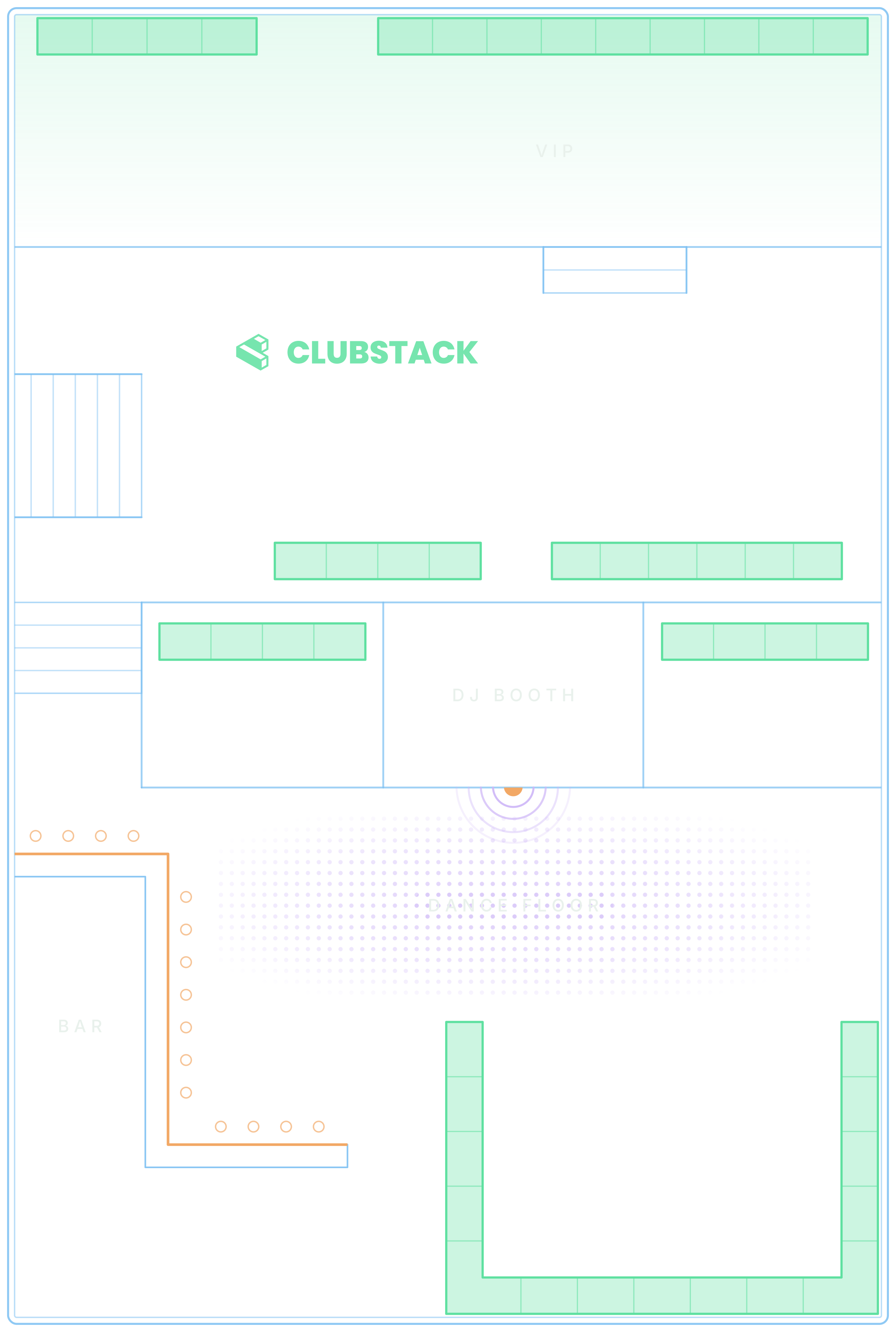

Every booking on one floor
Online bookings, phone requests and walk-ins go straight onto a table or into the unseated list, so the host sees what is free.
Explore the platformRemember every regular
Profiles with visit history, spend, tags, notes and ratings, so your team knows the usual before they reach the table.


Deposits before the night
Take the deposit when a guest books online, or email a secure link to pay it later and see who has paid.

See which tables sell
Table reports show bookings and deposits, which sections sell and when people book, event by event.

A lounge night, start to finish.
What VenueStack does at each stage of service. All of it is on the one plan.
Before guests arrive
Before guests arrive
Guests book a section from your website or your own VenueStack page, and your team adds phone bookings to the same plan.
Set a minimum by section, date or timeslot, so the best tables are priced for the night they’re booked.
The deposit is taken when the table is booked and stays attached to the reservation, so the floor can see what’s been paid.
A table is held for 10 minutes while a guest pays, so two guests can’t book the same one.
When they arrive
Bookings check in from the list or scan at the door, and the floor sees who has arrived.
Tags, past visits and spend, so the host knows a regular before they sit down.
Table bookings go into Apple Wallet or Google Wallet.
During service
Requests, approvals, deposits and seating, on the same floor plan your guests booked from.
Booking requests nobody has answered and deposits still unpaid, flagged as they happen.
An AI concierge answers questions about your menus and policies and hands over to your team when it needs a person.
After close
Bookings, deposits and sales, night by night, with repeat guests picked out.
Invite your regulars back, filtered by tag, spend or past purchase.
Know what needs you, right now
Pulse watches the whole venue and lists what someone has to act on, from a table request nobody has answered to a door phone that stopped scanning.
- Requests, deposits, chats, the door and more
- Remind, resend or open the booking from the alert
- Each alert clears itself once the problem is fixed

What it costs.
One published price for every feature, with a free trial before you pay.
One plan. Everything included.
Every feature on every account, and you can cancel whenever you like.
- Event calendar widget
- Ticket sales
- Table management
- Deposits
- Add-ons
- Passes
- Email campaigns
- Reporting
- QR door check-in
- Guest profiles
- Branded public pages
- Team roles and permissions

Comparing lounge reservation software?
Each side-by-side sets out what the other platform’s own pages describe and what it costs, next to VenueStack.
- 1. VenueStackOursTickets, VIP tables with deposits, passes and the door on one published plan16.5 of 19
- 2. VenueStack vs FourvenuesSelling through many channels, with promoter ticket quotas and detailed reservation rates16 of 19
- 4. VenueStack vs FennecBar stock and inventory beside tables, with two-way POS sync15.5 of 19
- 5. VenueStack vs Mr BlackBottle-service reservations, with POS integration on its Premium plan15 of 19
- 7. VenueStack vs TablelistProVIP tables and promoter tools, or admissions alone on its Basic plan14.5 of 19
- 8. VenueStack vs UrVenueResorts and groups: dynamic pricing across tables, cabanas, rentals and admissions14 of 19
- 13. VenueStack vs SevenRoomsSeveral venues sharing one guest database, with POS-linked spend in profiles12 of 19
Scored on the 19 capabilities each platform’s own pages describe for a night out. We make VenueStack, so the method is public.
Set up with our team.
Start a 14-day free trial, and we’ll set up your first night with you before anything goes live.
Your floor plan, designed
Send us your layout and our team designs your floor plan during onboarding.
Your first night, built
Rebuild one real night with us: ticket types, tables, deposits and minimums, with hands-on virtual training.
Your team, trained on the job
Narrated How-to guides play on the real dashboard pages, for just the parts each role uses.

Software that takes table reservations for a lounge, with minimum spends and deposits, and keeps each guest’s history so service can be personal. VenueStack does it on the same plan as tickets, the door and reporting.
It depends on the platform: some charge a fee on every ticket, some quote each venue, and some publish a monthly plan. VenueStack is $200 a month, or $180 a month billed yearly, with every feature, plus 4% processing fees, at least $2 and at most $50 (C$2.50–C$50, €2–€50, £1.50–£50) on each paid online order and the card processing fee. You choose whether guests pay those fees at checkout, free tickets and bookings carry no fee, and there is a 14-day free trial.
Yes. Online bookings come in through your booking page, and your team adds phone, message and walk-in bookings with New Reservation, straight onto a table or into the unseated list. Everyone works from the same floor plan, so the host always sees which tables are taken.
Set a minimum spend and a deposit for each section, and change them for an event or a timeslot. Guests pay the deposit when they book online, or you email a secure link to pay it before the night. The table card shows the deposit paid against the minimum.
Yes. Every booking, order and chat builds the guest’s profile, with their visit history and spend. Your team adds tags, notes and ratings, so good service doesn’t depend on one person’s memory.
Yes. Your floor plan holds your rooms, sections and tables. During service the Tables page shows every reservation on the map, and the table card seats guests, marks arrivals, moves a party, assigns a server and closes out.
Table reports show each event’s bookings and deposits, which sections sell and when people book. The door report shows how many came in and when, and you can compare any two events side by side.
Yes. Sell tickets for a special night on its own branded event page, alongside your usual reservations. Ticket sales, table bookings and check-in all run through the same system.
Running a lounge, city by city.
Closing time, liquor licences, tax on the bill, staff wages and the year’s big nights in each city below.
All 72 city guidesYour next event starts here.
Sell tickets, book tables and check guests in from one place.