Ticket scanner app: Keep the queue moving, even when the signal drops
Your door scans tickets and passes with the check-in app on the phones and iPads it already has. Each ticket checks in once, the result fills the top of the screen in colour, and tonight’s list is saved on the device for when the wifi gives out.

How the door runs.
An event check-in app for a club door, in the order the night uses it.
Get the door ready
Give door staff a role that scans and nothing else, then open VenueStack on each phone or iPad while you’re online. Tonight’s tickets and passes download by themselves.
Read the guideScan each guest
Hold the QR code in the frame, from the guest’s phone, a printout or Wallet. Admitted shows green, Already checked in yellow with the time, and Denied red with the reason. On a phone it buzzes too, so the door can work by feel.
Read the guideHandle the exceptions
A guest without their code is found by name and checked in by hand. If the signal drops, scanning carries on and syncs when it comes back.
Read the guideWatch the door, then read it back
Scanned and Scan Rate update live on the event, and Pulse flags a scanner that has gone quiet or a ticket scanned again. The ticket report shows check-ins by hour.
Read the guide
In the product.
Ticket scanner app as your team and your guests see it.
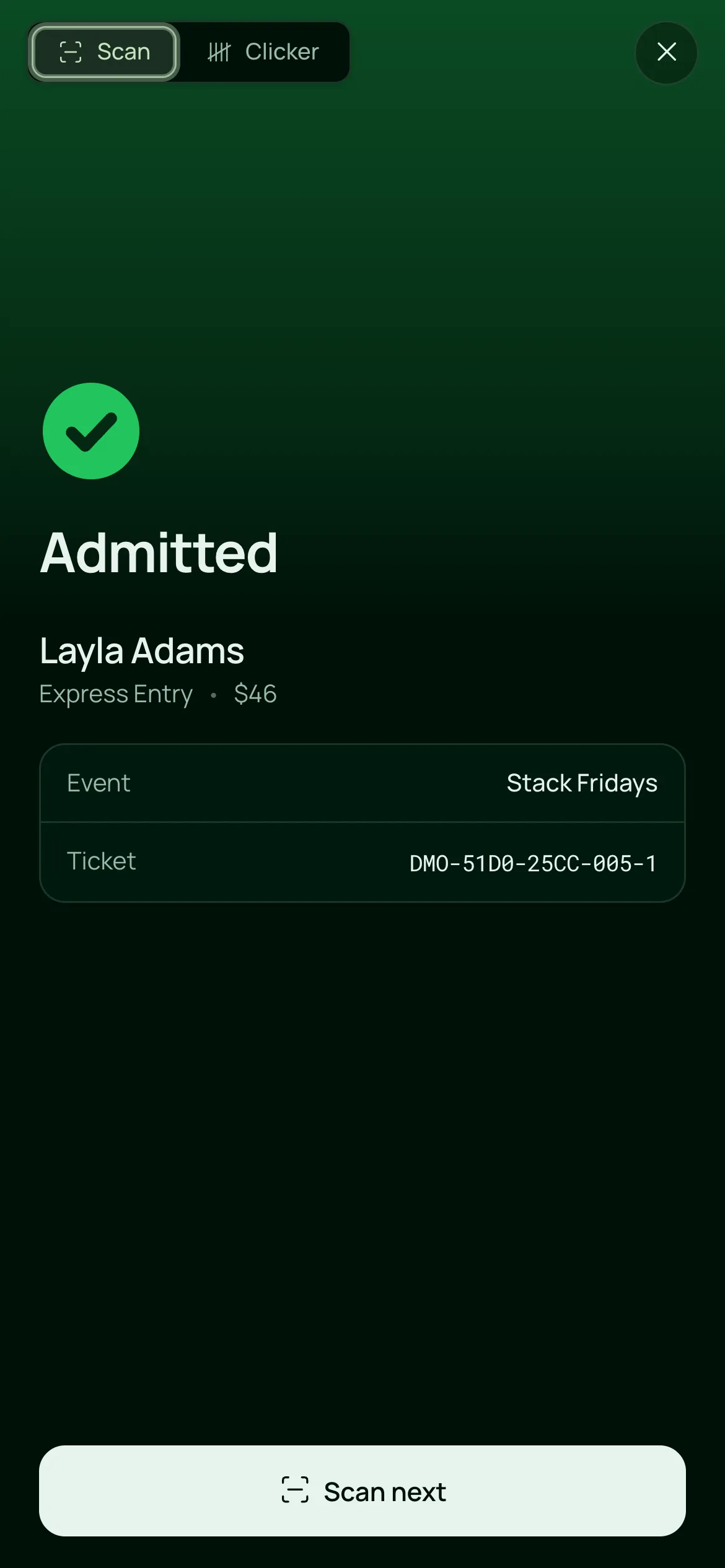
One scan, one answer
The result fills the screen in colour with the guest’s name and ticket type, so the door reads it at arm’s length.
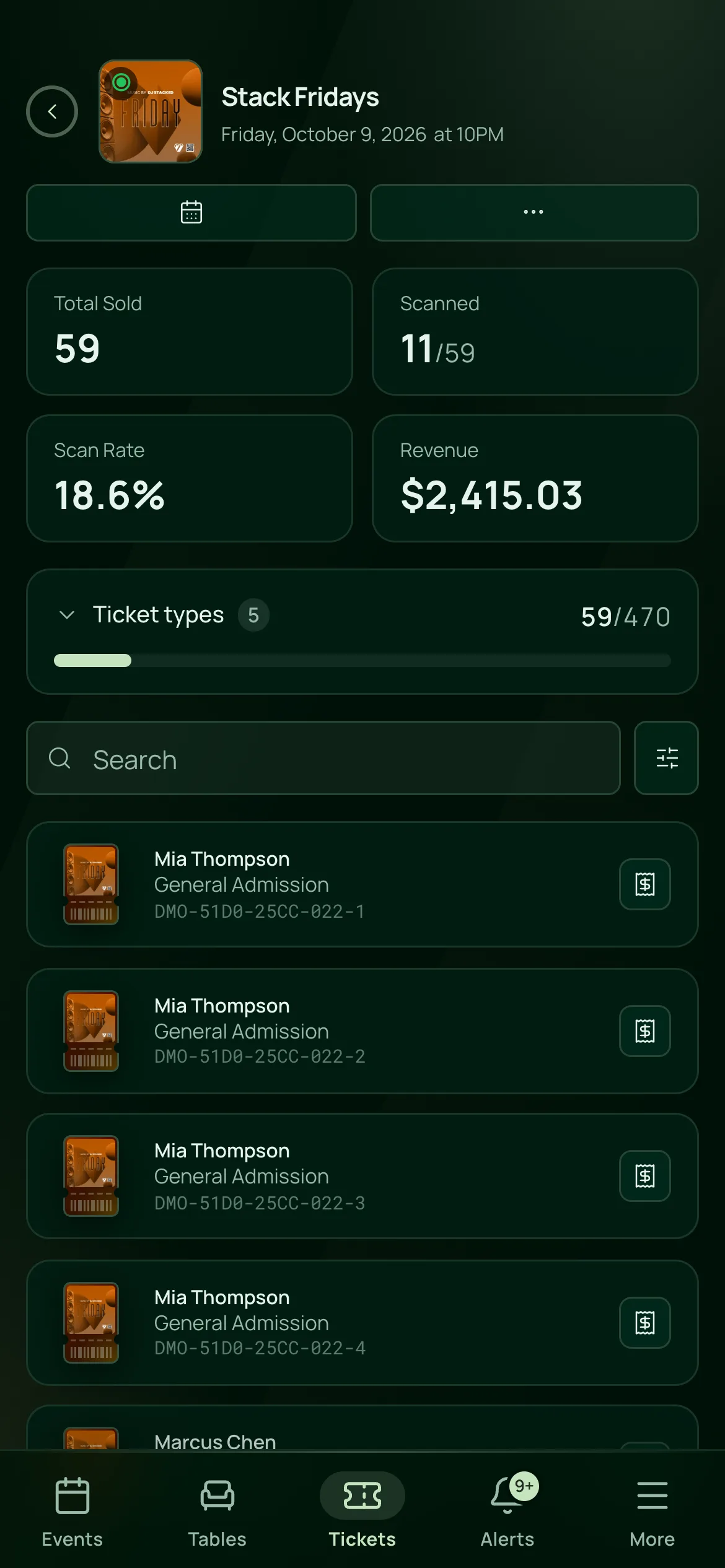
The room filling, as it happens
Total sold, scanned, scan rate and revenue sit above the night’s tickets, and any guest can be found by name and checked in by hand.

Everything at the door.
What the QR code ticket scanner does, on the one plan.
Scanning
Scanning
The scanner runs on the phones and iPads your team already has. Allow the camera and it fills the screen.
Green for Admitted, yellow for Already checked in or Try again, red for Denied, with the guest’s name, ticket type and event underneath.
A second scan shows when the ticket was first checked in. Voided tickets, canceled events and the wrong date are denied.
Passes scan like tickets, with their entries counted for tonight and in total.
If the camera won’t start, Take a photo reads the QR code from a picture instead.
When things go wrong
Tonight’s tickets and passes are saved on each device, so scans carry on without a connection and sync when it’s back.
Type at least two letters of the name on the order or pass, check who they are and check them in, online or off.
On the Tickets page, search a guest by name, email or ticket number and mark the ticket scanned.
If two offline doors let the same ticket in, the sync notes say so, with the time of the first scan.
Watching the door
Scanned and Scan Rate update as your team checks guests in. Filter by Not Scanned to see who hasn’t arrived.
Flags a door phone that has gone quiet for five minutes, a ticket scanned again and anyone turned away.
The latest check-ins across every event, on the iPad scanner.
Count everyone through the door by hand, beside the scanner, with one total across every door.
Your door team
Door Staff scan tickets and passes and count on the Clicker, and can’t void, resend or refund.
Staff you allow can admit a pass past its limit, and the reason stays on the pass.
Door staff learn the scanner from a narrated walkthrough of the parts their role uses.
Built for a busy door.
- NightclubsA Saturday queue scanned in fast, with Wallet tickets, passes and offline scanning on the same phone.VenueStack for nightclubs
- FestivalsAn event ticket scanner at every entrance, each on its own phone or iPad.VenueStack for festivals
- Ticketed eventsA door that runs on the phones your team brings, with no scanner hardware to hire.VenueStack for ticketed events



On the one plan.
Ticket scanner app comes with every other feature on one published price, with a free trial before you pay.
One plan. Everything included.
Every feature on every account, and you can cancel whenever you like.
- Event calendar widget
- Ticket sales
- Table management
- Deposits
- Add-ons
- Passes
- Email campaigns
- Reporting
- QR door check-in
- Guest profiles
- Branded public pages
- Team roles and permissions
Questions, answered.
More questionsYes. The check-in app is part of VenueStack and runs on any phone or iPad your team already has. Door staff open Scanner and point the camera at the guest’s QR code.
Yes. Open VenueStack on each device while it’s online before doors, and tonight’s tickets and passes are saved on it. Scans made offline sync when the connection comes back. A ticket bought after the list downloaded needs a connection to scan.
The second scan shows Already checked in, in yellow, with the time it was first used. Pulse flags it as well, so a manager sees it without standing at the door.
Yes. A ticket in Wallet carries the same QR code as the email and the PDF, and scans the same way.
Yes. Find the guest by name in the scanner, or on the Tickets page by name, email or ticket number, check who they are, and check them in. You can also resend their ticket email.
It’s included in the one VenueStack plan, with every other feature, so there’s no charge per device or per scan. There’s a 14-day free trial, and the price is on our pricing page.
Keep reading.
The features next to ticket scanner app, and the guides behind it.
Your next event starts here.
Sell tickets, book tables and check guests in from one place.