Live venue alerts: Catch the unpaid deposit before the party walks in
Pulse watches your reservations, deposits, chats, guest emails and door, and lists what needs someone right now. Remind a guest or resend an email from the alert, and it clears itself once the problem is fixed.
From the alert to the fix.
An operations dashboard for the night, in the order you use it.
Pulse watches
Table requests, deposits, guest chats, door scanners and guest emails, across every event. Each part of the venue has a tile with how many things wait there and how long the oldest has waited.
Read the guideAct from the alert
Review a table request, remind a guest about a deposit, open a chat or resend a bounced email, from the alert itself.
Read the guideIt clears itself
Fix the problem anywhere and the alert clears. Snooze or dismiss what can wait, and Pulse raises it again if the problem comes back later.
Read the guidePush what’s urgent
Choose which alerts reach phones: Critical only, Critical and high, or Off. Each person turns Pulse on or off for their own phone.
Read the guide
In the product.
Live alerts as your team and your guests see it.
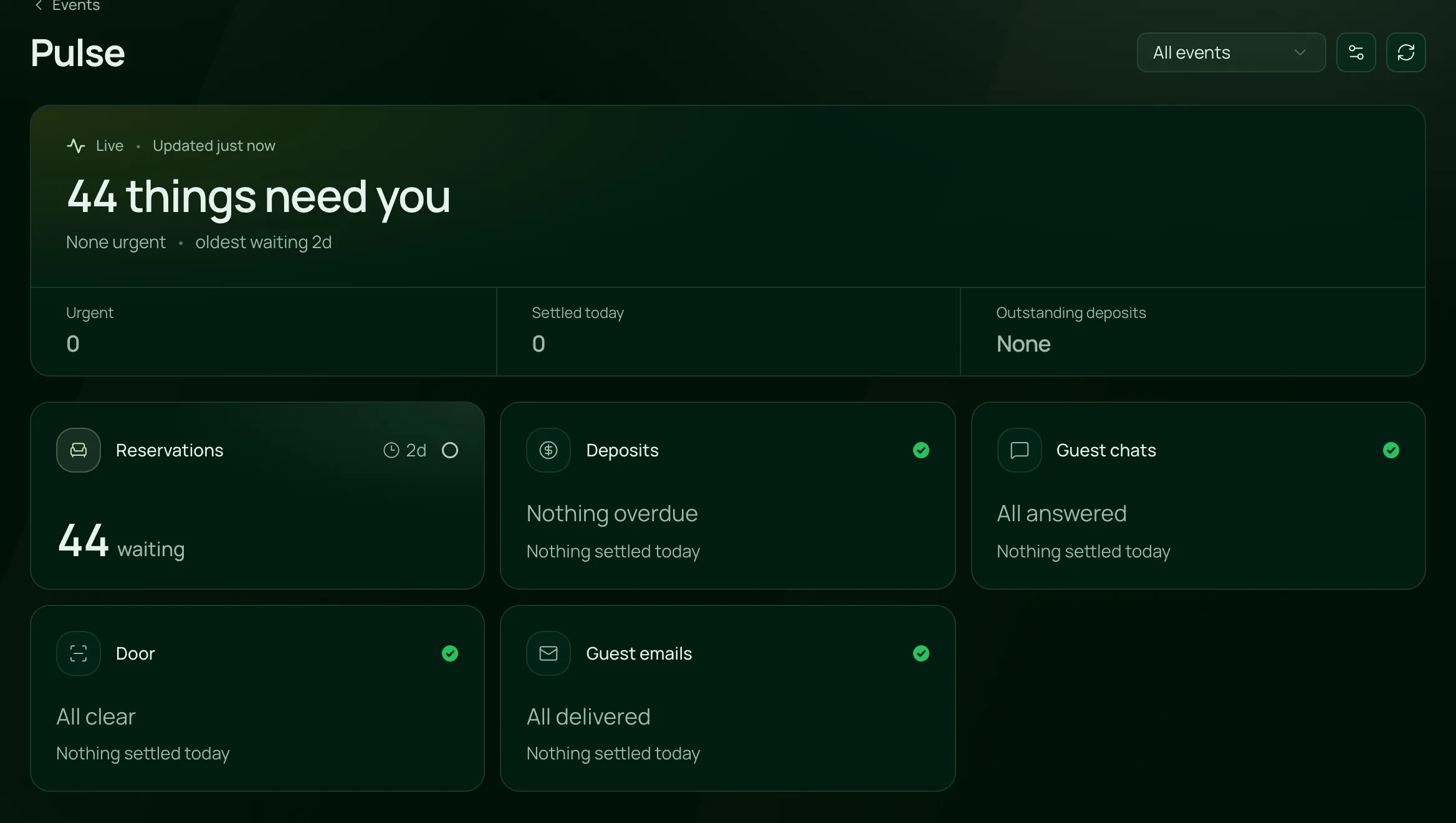
What needs someone, right now
Pulse counts what is waiting, from table requests to deposits, chats, the door and guest emails, and clears each one when it’s handled.
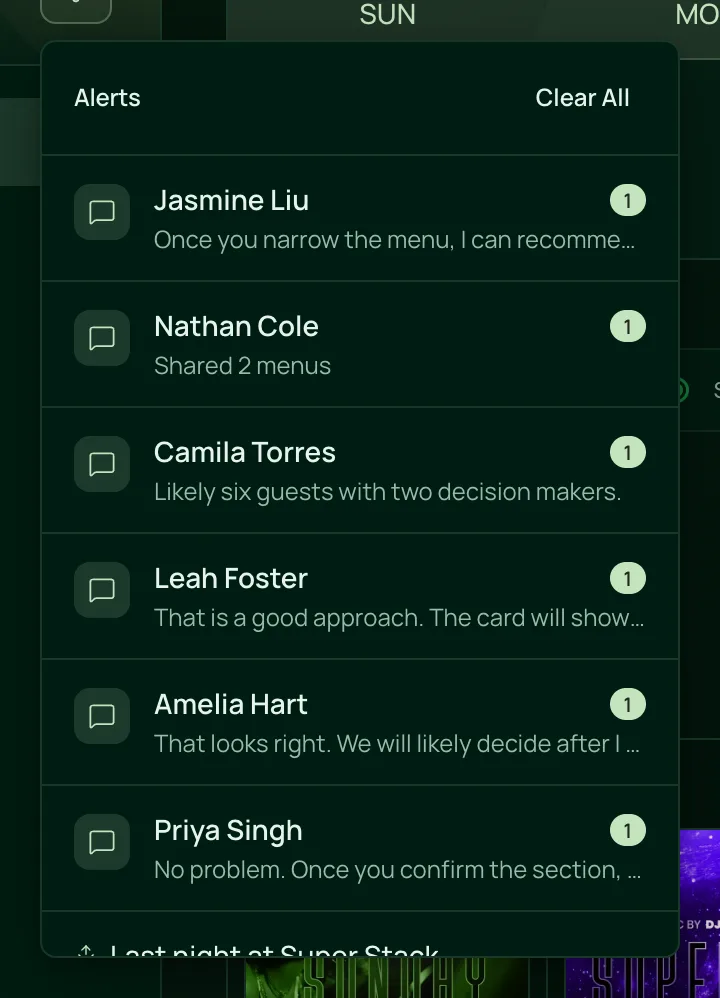
Alerts in the tray
Chats waiting for a reply show in the alerts tray with their latest message, so nothing sits unanswered.

Everything Pulse watches.
Live alerts and the night’s live view, on the one plan.
Tables and deposits
Tables and deposits
A table request with no answer for 10 minutes.
A guest opened a deposit request 30 minutes ago and hasn’t paid.
The event starts within 4 hours and the deposit is still unpaid.
A party marked arrived 10 minutes ago that has no table yet.
The event starts within 2 hours with requests or deposits still open.
The door
A phone with the scanner open has gone quiet for 5 minutes.
A ticket already checked in, or a pass already used tonight, is scanned again.
A pass is let in past a failed check.
A ticket or pass refused at the door, with the reason, from refunded to the wrong night.
Owners and managers with Full Access to Tickets get a push and a bell alert when the Clicker count reaches your capacity.
Guests
A guest message with no answer for 10 minutes.
A ticket confirmation, table email or deposit email that didn’t reach the guest, with the reason in red.
Send it again to the same address, or to another when the first was wrong.
Remind the guest, give them 24, 48 or 72 more hours, or send a new deposit request.
Your team
Each role sees alerts about records it can already open.
Tickets scanned against sold, tables arrived and seated, each door phone and waiting messages, updating as it happens.
Turn an alert off, or choose how long Pulse waits before it speaks up.
New reservations, deposits received and guest messages, in the bell and as a push to the people who handle them.
Owners get last night’s door count, tickets, tables and sales from 10 AM the next day.
For nights with a lot in motion.
- NightclubsDeposits chased before the night, table requests answered and a quiet scanner caught at the door.VenueStack for nightclubs
- Beach clubsDaybed deposits, arrivals and guest chats watched across a long day.VenueStack for beach clubs
- Event venuesEvery event, every door phone and every guest email watched from one list.VenueStack for event venues



On the one plan.
Live alerts comes with every other feature on one published price, with a free trial before you pay.
One plan. Everything included.
Every feature on every account, and you can cancel whenever you like.
- Event calendar widget
- Ticket sales
- Table management
- Deposits
- Add-ons
- Passes
- Email campaigns
- Reporting
- QR door check-in
- Guest profiles
- Branded public pages
- Team roles and permissions
Questions, answered.
More questionsTable requests with no answer, deposits opened and not paid, deposits unpaid close to the event, guests waiting in chat, parties arrived without a table, a door scanner gone quiet, flagged scans and guest emails that didn’t arrive.
Yes. Each alert clears once the problem is fixed, wherever you fix it. A dismissed alert comes back if the same problem returns later.
Yes. Choose which Pulse alerts reach phones: Critical only, Critical and high, or Off. Each person turns Pulse on or off for their own phone, and new reservations, deposits and guest messages come as a push too.
No, unless their role can see money. Each role sees only alerts about records it can already open, and deposit alerts need the role’s Show money switch.
Yes. Owners, and roles with Full Access to Account, can turn an alert off or choose how long Pulse waits before it speaks up.
Yes. Set your capacity in your venue details, and owners and managers with Full Access to Tickets get a push and a bell alert when the Clicker count reaches it.
Pulse is included in the one VenueStack plan, with every other feature, and there’s a 14-day free trial. The price is on our pricing page.
Keep reading.
The features next to live alerts, and the guides behind it.

Your next event starts here.
Sell tickets, book tables and check guests in from one place.