VIP table booking: Sell your VIP tables with the deposit paid up front
Guests choose a section on your floor plan, see the minimum spend and pay the deposit when they book. Phone and DM bookings get a secure payment link by email, and your team runs the room from the same map.
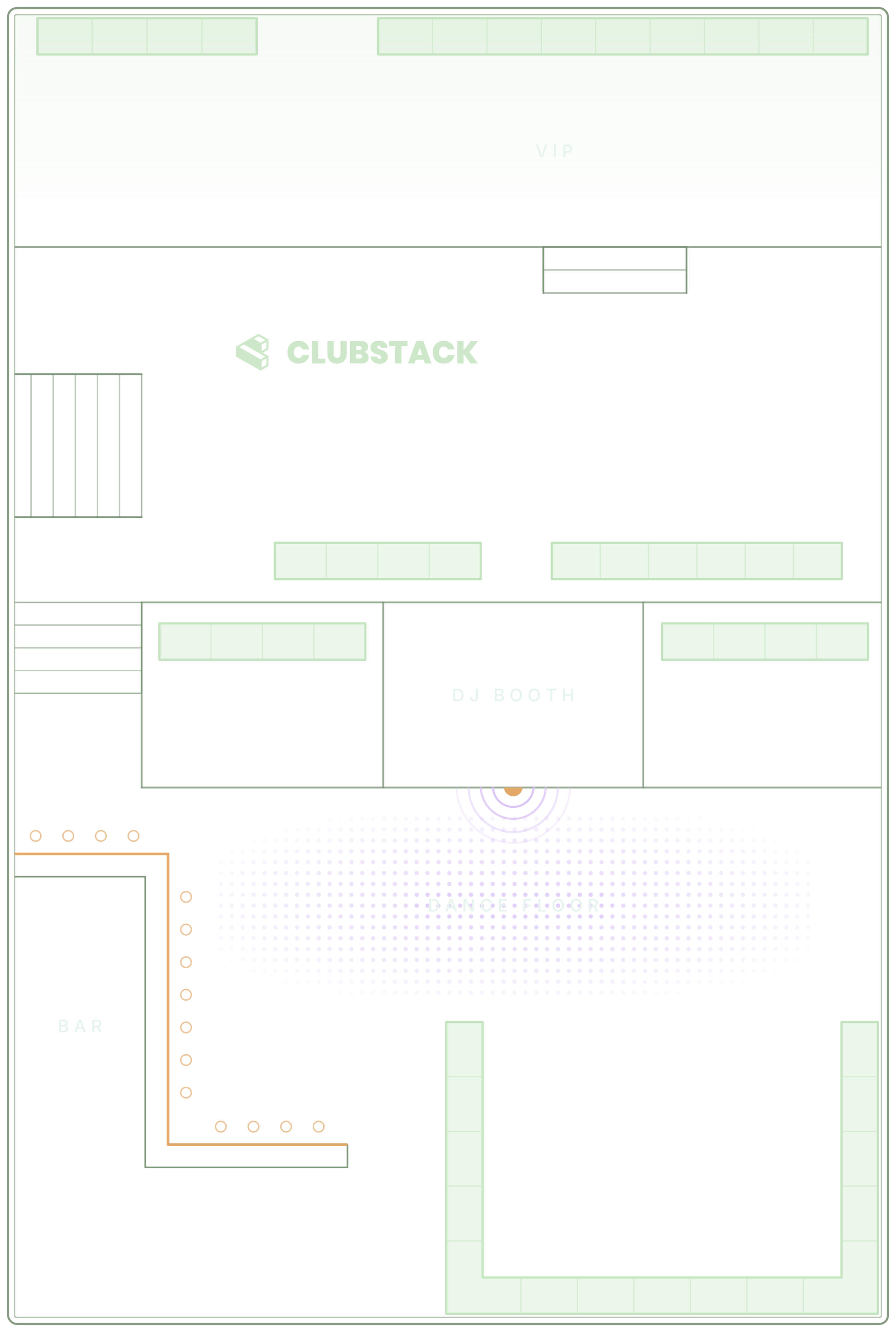
From the booking to the table.
A table reservation system for a club night, in the order the night uses it.
Set the rules for the night
Each section has its deposit, minimum spend and a limit per guest. Change them for one event, or split the night into timeslots with their own prices.
Read the guideBookings come in
Online, guests choose a section, see the minimum and pay the reservation deposit, with a bottle package as an add-on if you sell one. For a phone or DM booking, add it yourself and email a secure link to pay.
Read the guideRun the floor
Seat parties on the map, mark arrivals, move or link tables and complete visits. Each table shows its booking’s status in colour, and the floor keeps working offline.
Read the guideRemember the guest
Rate the visit, tag the guest and keep notes for next time. The table report shows what each section sold and how the tables were booked.
Read the guide
In the product.
VIP table booking as your team and your guests see it.
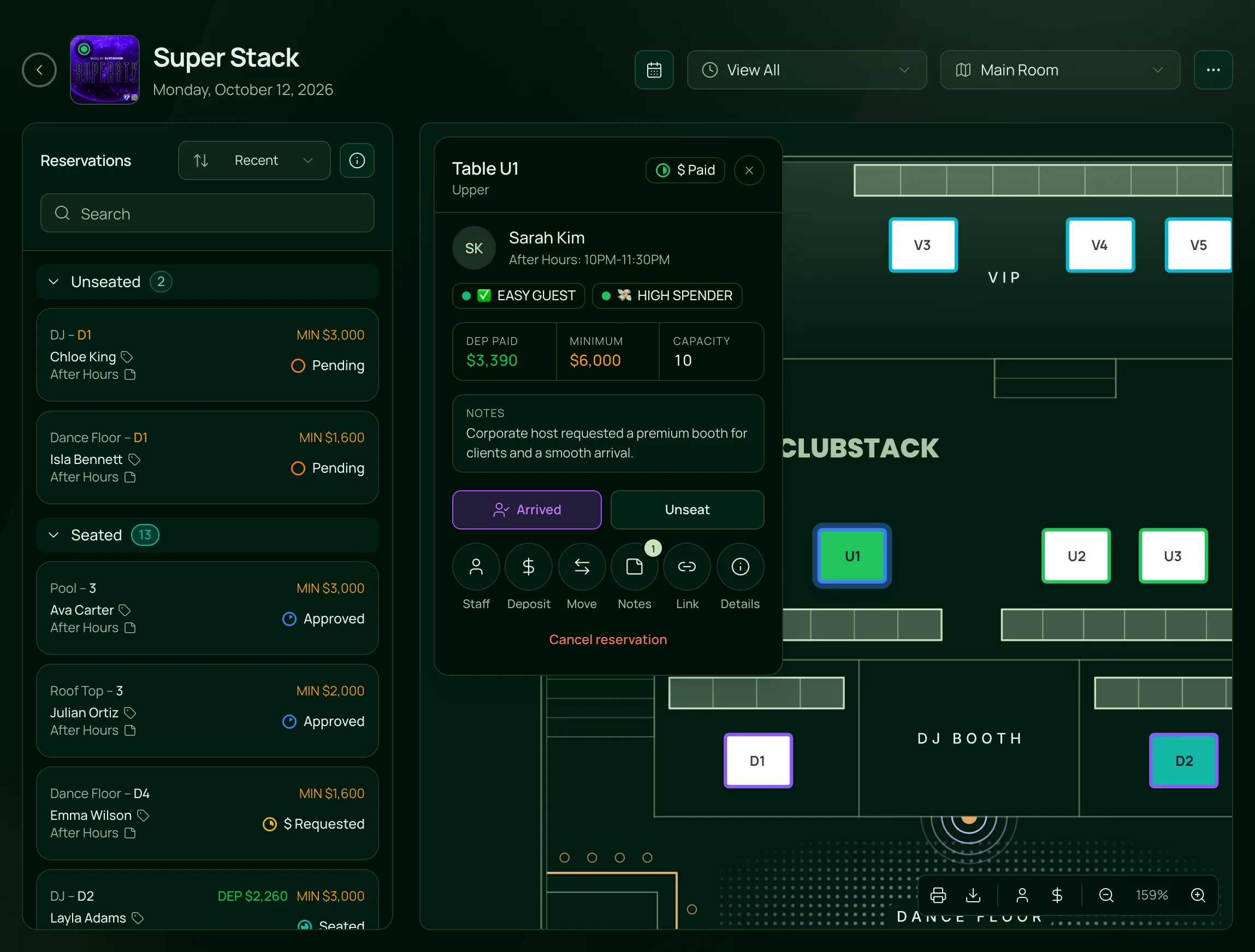
The whole floor on one screen
Every booking on the map in its status colour, the list grouped by where each party stands, and one card to seat, move or take a deposit.
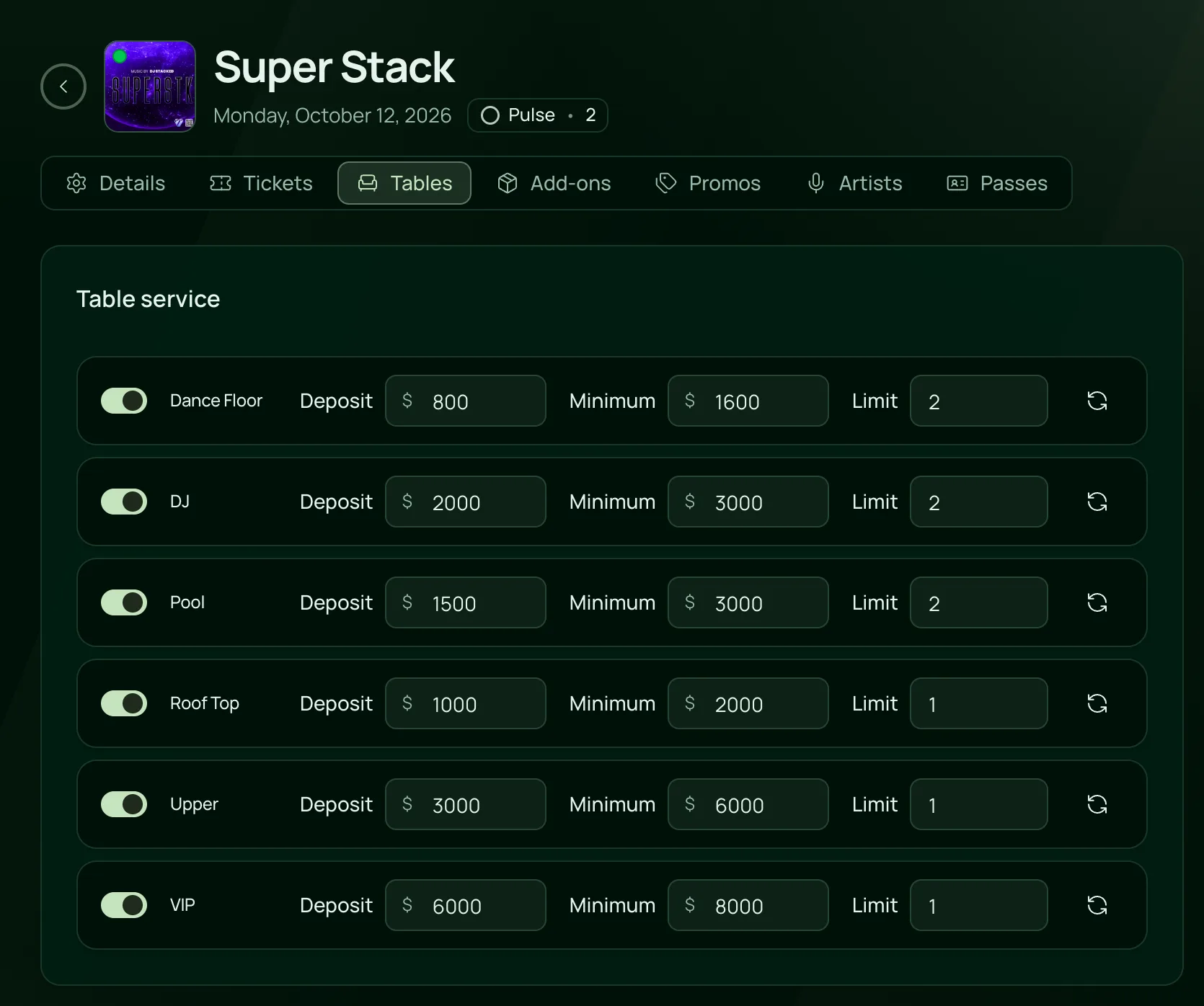
Deposits and minimums by section
Turn on table service for the night and set each section’s deposit, minimum spend and booking limit.

Everything for the tables.
Deposits, minimums and the floor, on the one plan.
Deposits
Deposits
Set a deposit per section, and guests pay it at checkout by card, Apple Pay or Google Pay.
For a phone or DM booking, email a secure payment link that expires in 24 or 48 hours, or a time you choose up to 72.
Set a deposit of 0 and guests send a request that waits for your team to approve it.
Pulse flags a deposit link a guest opened and didn’t pay, and one still unpaid four hours before the event. Remind them or send a new link from the alert.
Canceling never refunds a deposit by itself. Refund all or part of it when you choose to. Fees are not refundable.
Minimum spend
Each section carries a default minimum spend, shown to guests at checkout and to staff on the table card.
Change a section’s minimum for one event, or for every future date of a weekly night.
Give an early and a late seating their own deposit and minimum spend.
Upload your bottle menu, and guests booking a table can open it before they pay.
Bottle service on the night
Every table filled with its booking’s status, from requested and paid to arrived and seated.
Seat, move, link, lock, add notes or request a deposit from one card beside the map.
Assign servers to tables. They see only theirs, and get a push when their table arrives.
Sell a bottle package as an add-on with the table, with its own price and quantity.
Arrivals, seating, moves, notes and walk-ins keep working when the signal drops.
Bookings from everywhere
Add a reservation yourself, and past guests fill in as you type their name.
Offer a guest a table in chat, with a Pay Now button for the deposit.
A paid table is held for 10 minutes while the guest pays, so no one else can book it.
Every booking adds to the guest’s profile, with past visits, spend and tags.
Built for rooms that sell tables.
- NightclubsVIP tables and bottle service with deposits, minimum spends and timeslots, on the same night as the tickets.VenueStack for nightclubs
- LoungesPhone and online reservations on one plan, with minimums by section and notes on every regular.VenueStack for lounges
- Beach clubsDaybeds and cabanas sold by timeslot, each with its own deposit and minimum.VenueStack for beach clubs



On the one plan.
VIP table booking comes with every other feature on one published price, with a free trial before you pay.
One plan. Everything included.
Every feature on every account, and you can cancel whenever you like.
- Event calendar widget
- Ticket sales
- Table management
- Deposits
- Add-ons
- Passes
- Email campaigns
- Reporting
- QR door check-in
- Guest profiles
- Branded public pages
- Team roles and permissions
Questions, answered.
More questionsGuests open the event on your booking page or website, choose a section on your floor plan, see the minimum spend and pay the deposit. Your team gives the party its table on the night, or turns on auto seat to give each paid booking the next free table in its section.
Yes. Add the reservation, then request a deposit. The guest gets a secure link by email, you can copy it into a text as well, and the booking shows $ Paid once they pay.
Yes. Each section has a default minimum, and you can change it for one event or one timeslot. Guests see it before they book and staff see it on the table card. The bar tab itself stays on your till, since VenueStack doesn’t connect to a POS.
Yes, they put money behind the booking. A deposit stays with your venue unless you refund it, and Pulse flags deposits still unpaid close to the event, so you can chase them or free the table.
No. When a guest goes to pay, their table is held for 10 minutes and counts as taken, so the last table in a section can’t sell twice.
It’s included in the one VenueStack plan, with every other feature, and there’s a 14-day free trial. The price is on our pricing page. You choose whether guests pay the processing and platform fees on a deposit or your venue covers them.
Keep reading.
The features next to vip table booking, and the guides behind it.
Playbooks

Your next event starts here.
Sell tickets, book tables and check guests in from one place.