Sell tickets online: Sell the night in releases, on your own page
Early bird, general admission and VIP, each with its own price, quantity and sale dates. Guests buy on their phone without an account, the money goes to your own Stripe account, and every buyer lands in your customer list.
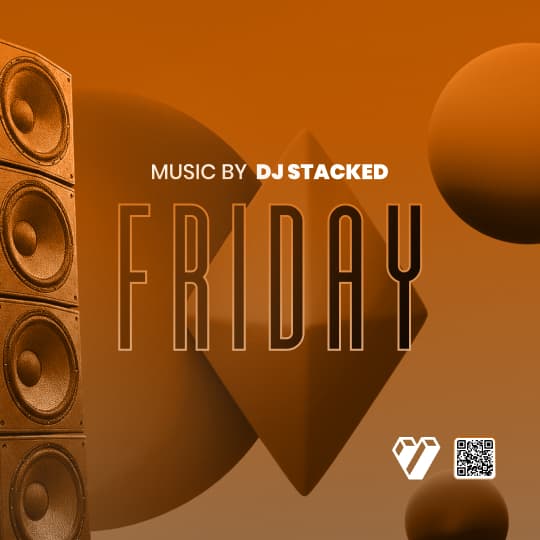

From on sale to the door.
An online ticketing system for a club night, in the order you use it.
Set up the releases
Create the event and add a ticket type for each release, such as early bird, general admission and VIP. Give each its own price, quantity, limit per guest and sale dates, then add promo codes and add-ons if you want them.
Read the guideGuests buy on their phone
From your booking page, a widget on your website or a promoter’s tracking link, guests pick tickets and pay by card, Apple Pay or Google Pay. Their tickets are held for 10 minutes while they pay, then arrive by email with Wallet buttons.
Read the guideScan them in
Your door scans each QR code with the check-in app on a phone or iPad. A ticket checks in once, and the scanner keeps working when the signal drops.
Read the guideRead the night back
The ticket report shows what sold by ticket type, how fast it sold, when people bought and which tracking links and promo codes brought them. Resend, void or refund any order from the dashboard.
Read the guide
In the product.
Online ticketing as your team and your guests see it.
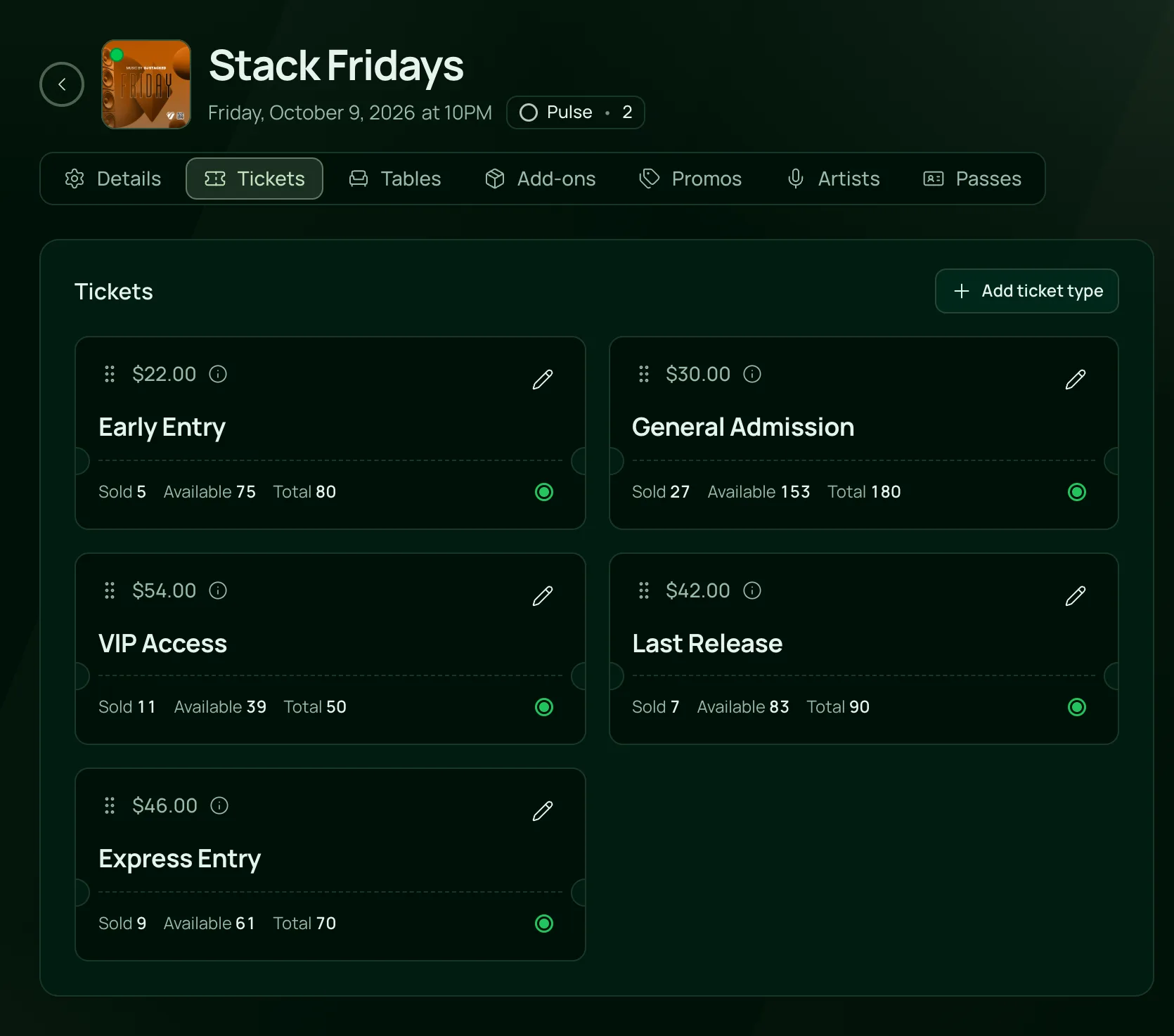
Every ticket type, selling at once
Early entry, general admission, VIP and the last release, each with its own price and quantity, and the sold, available and total counts beside it.
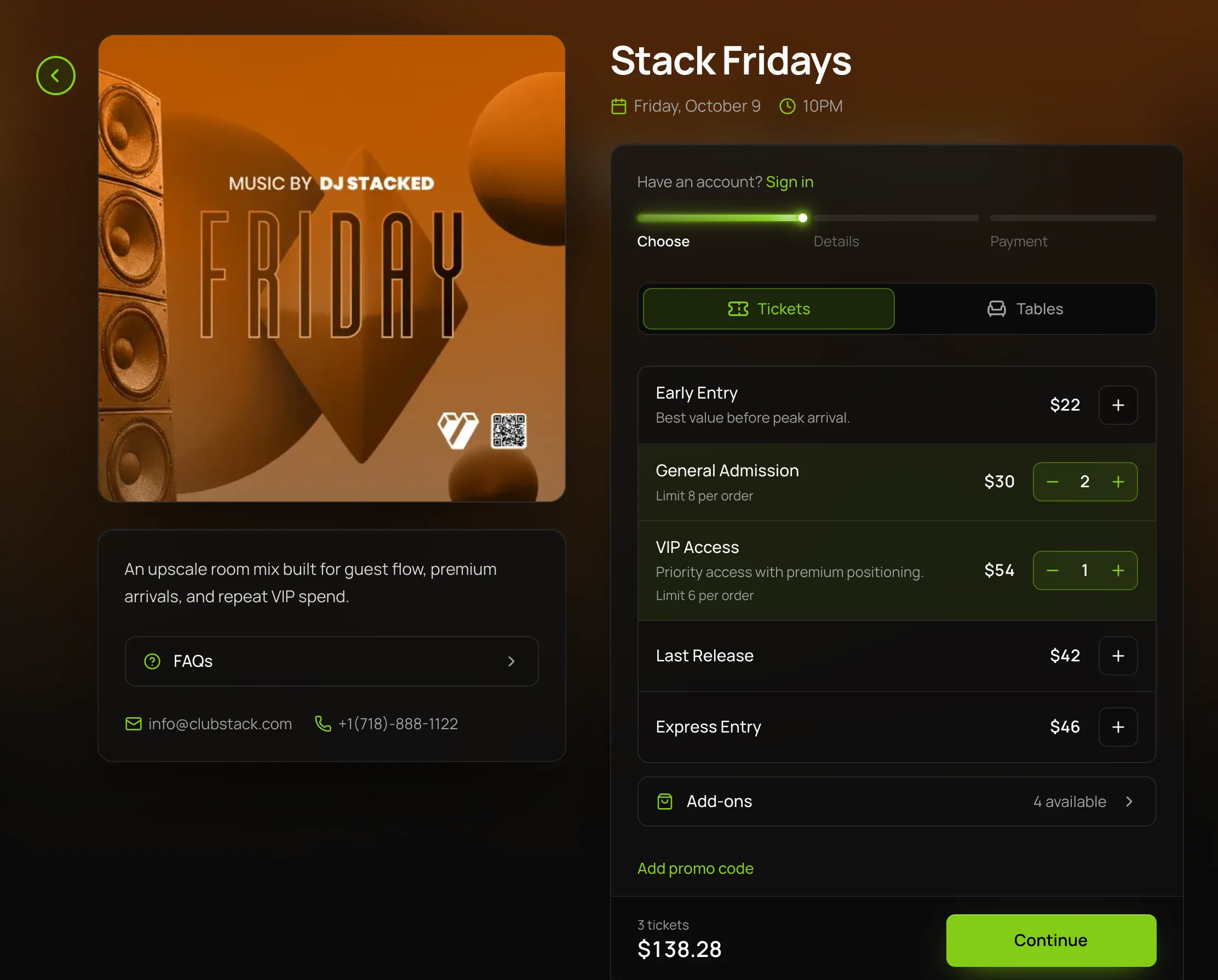
A checkout in your colours
Guests pick their tickets and add-ons on your own booking page, see the total before they pay and check out on their phone.

What you can sell, and how.
Every part of the event ticketing system, on the one plan.
Tickets
Tickets
General admission, VIP or any tier you name, each with its own price, quantity and limit per guest. Free tickets work before payments are connected.
Give a release its own sale dates. Before it opens, guests see when it goes on sale, and once it ends it leaves checkout.
A percentage or a fixed amount off chosen ticket types, with a cap on uses and the dates it works between.
Sell coat check, parking or a drink package with the ticket, each with its own quantity and limit per order.
Set up a weekly night once. Tickets, add-ons and promo codes saved for all future dates carry to every week, and one night can still change on its own.
Checkout
Guests buy with their name and email. A returning guest can sign in with an emailed code and have their details filled in.
Guests pay by card, or with Apple Pay or Google Pay when their phone has it set up. The money goes to your own Stripe account.
Tickets and add-ons are held with a countdown while a guest pays, so the last ticket can’t sell twice. If time runs out, they go back on sale.
You choose whether guests pay the processing and platform fees at checkout or your venue covers them, and you set your tax rate.
Add your terms, and guests tick I agree to the terms before they pay.
Where it sells
Your events on a calendar or in cards, and each night on its own page with its square poster, description, lineup, FAQs and map.
The Events widget puts your calendar, your upcoming nights or one event’s checkout on your own site, in light or dark.
Give each promoter, flyer and bio its own link or QR code, and reports show the sales each one brought in.
Add your Meta, TikTok, Google Analytics and Google Ads IDs, and each sale is sent to them from the confirmation page.
After the sale
Each order is emailed with a link to its tickets, and guests can add them to Apple Wallet or Google Wallet.
Resend a lost ticket email, void a ticket so it won’t scan, or refund all or part of an order. Fees are not refundable.
Sales pace, each ticket type, check-ins by hour and where buyers came from, event by event.
Every buyer lands in Customers with what they spent, ready to tag, export or email.
Built for nights people queue for.
- NightclubsWeekly nights sold in releases, with VIP tickets and VIP tables on the same event.VenueStack for nightclubs
- Ticketed eventsOne-off shows and parties sold from your own page and the links your promoters share.VenueStack for ticketed events
- FestivalsSeveral ticket tiers and add-ons on one checkout, with every buyer in one list.VenueStack for festivals



On the one plan.
Online ticketing comes with every other feature on one published price, with a free trial before you pay.
One plan. Everything included.
Every feature on every account, and you can cancel whenever you like.
- Event calendar widget
- Ticket sales
- Table management
- Deposits
- Add-ons
- Passes
- Email campaigns
- Reporting
- QR door check-in
- Guest profiles
- Branded public pages
- Team roles and permissions
Questions, answered.
More questionsCreate the event, add a ticket type for each release and publish it. Guests buy from your booking page, a widget on your website or a tracking link, and their tickets arrive by email, ready to show at the door on a phone, a printout or Wallet.
Yes. Make early bird its own ticket type with a lower price, a set quantity and a sale end date, and put general admission on sale beside it. Guests see the tickets in the order you set, and once early bird sells out or its sale ends, they buy the next tier.
No. When a guest presses Continue to payment, their tickets are held for 10 minutes and count as sold. If they don’t pay in time, the tickets go back on sale and they aren’t charged.
Yes. The Events widget puts your calendar, your upcoming events or one event’s checkout on your website, from one code you paste in. Guests buy without leaving your site.
Your venue does. Guests pay through your own Stripe account, and Stripe pays out to your bank on its usual schedule.
It’s included in the one VenueStack plan, with every other feature, and there’s a 14-day free trial. The price is on our pricing page. You choose whether guests pay the processing and platform fees at checkout or your venue covers them.
Keep reading.
The features next to online ticketing, and the guides behind it.
Playbooks


Your next event starts here.
Sell tickets, book tables and check guests in from one place.