To reduce door wait times, organize the entrance so ready guests reach the next available scanner and booking problems get help elsewhere. Engineerguy’s video, Why the other line is likely to move faster, explains the logic through checkout lines. This companion applies that explanation to nightclub, festival, and beach club entry, with a proposed lane layout, staff assignments, and an illustrative calculation you can adapt to your door.
Video: [Queue Management System](https://youtube.com/watch?v=7K64FsFtPTI) Reduce Wait Times & Improve Retail Efficiency
What the video explains about a shared line
The video’s useful lesson for venue entry is that the arrangement of a queue affects who gets served next. A fast scanner can still sit idle if guests cannot reach it.
Why separate lines get stuck
In engineerguy’s December 20, 2010 explanation of pooled queues, Bill describes why one line feeding several cashiers can handle waiting more efficiently than separate checkout lines.
The mechanism is straightforward. One cashier gets a lengthy transaction while another finishes a simple purchase. With separate queues, people behind the lengthy transaction remain attached to that cashier. With a shared queue, the next person can use whichever cashier becomes free.
At a venue, the equivalent delay might be a missing ticket, a reservation under another name, or a payment question. Those tasks take different amounts of time. Separate lines can leave one scanner waiting while another staff member searches through a booking.
What carries over to venue entry
The video provides the queueing principle. The door layout and numbers below are illustrative applications to hospitality operations.
Start by asking whether your scanners do the same job. If both can admit the same ticket holders, a shared feeder line is a sensible layout to test. Guests reach the next available position without choosing a scanner at arrival.
Different admission tasks may still need different staff. Table assignments, payment disputes, and guest-list corrections can require longer conversations. Keep those conversations within reach of a help position, with a clear route back into the entry process.
Find the step that holds up entry
A shorter scan queue helps only when scanning is the step holding guests outside. Map the whole entrance before moving barriers or adding devices.
Measure waiting and processing separately
Follow the guest journey from joining the line to passing the admission point. Record where movement stops:
- Guests arrive without their ticket open.
- ID or security checks have a growing backlog.
- Scanners spend time searching names.
- Booking and payment questions occupy an admission position.
- Guests clear check-in but wait for a table host.
- Admission pauses because the venue has reached its capacity limit.
Time spent waiting for service and time spent receiving service are separate measurements. A guest might wait several minutes for a check that takes seconds. That points toward lane arrangement, staffing, or arrival volume.
A long check itself needs a different fix. Find what staff are doing during it: scanning, searching, explaining, collecting payment, or waiting for approval.
Prepare records before guests arrive
VenueStack brings ticketing, table bookings, guest lists, and check-in into one system. For teams using its QR check-in software, preparing those records together gives door staff a consistent place to begin.
Resolve known booking questions before opening. Confirm which event staff should select, how reservations are recorded, and who can authorize changes.
Keep a short list of unresolved issues for the help position. Include the booking reference and the staff member responsible for deciding it. Give that list to the door lead before the first guests arrive.
Draw the door around ready guests and exceptions
The shared-line idea becomes useful at the entrance when guests can see where to go and staff can move problems out of the scanning positions.
Use one feeder line for interchangeable scanners
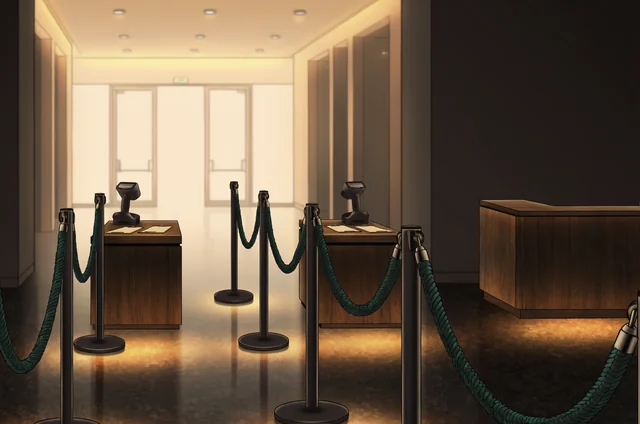
Here is a proposed layout for a two-scanner door. It assumes the venue’s required checks happen before ticket scanning; adapt the sequence to your established entrance process.
Arrival
|
Greeter
/
Required checks Ticket or booking help
| |
Shared scan queue Return to required checks
/
Scanner A Scanner B
\ /
Admission
The greeter directs ready guests toward required checks and sends unresolved ticket or booking questions to the help position. After checks, one queue feeds the next available scanner.
Place the queue head where guests can see both scanners. Staff need a clear way to call the next person forward. Leave enough room for an admitted party to move away before the next party steps up.
Keep exit routes clear and allow guests who need assistance to reach staff without squeezing through barriers.
Make the help position easy to find
An exception is any issue that needs more work than a straightforward admission. Examples include an unreadable ticket, a disputed booking, or a guest-list entry that needs approval.
Position help close enough for a handoff, but outside the path between the queue and scanners. The scanner should explain the issue briefly and identify who will resolve it.
Use short, readable signs such as “Tickets ready” and “Booking help.” Tell guests where to rejoin after resolution. Make that return route visible before the rush begins.
Give each staff position a clear job
A shared queue needs staff who protect its movement. If every scanner also handles payments, reservations, and disputes, the same delays will follow guests into the new layout.
Keep scanners focused on admission
Assign work according to the tasks your entrance actually requires:
- The greeter helps guests prepare tickets and directs booking questions.
- Security staff complete the venue’s established checks.
- Scanning staff verify admission records and record successful entry.
- The help position handles searches, corrections, and decisions requiring approval.
These are responsibilities, rather than a universal headcount recommendation. A smaller venue may combine roles during quiet periods and separate them for the arrival surge.
VenueStack’s ticket check-in instructions give staff using that system a shared training reference. Rehearse the handoff from a failed check to the help position, including what information the scanner passes along.
Agree on a simple rule: once an issue needs a longer conversation, move it to the assigned help position.
Give passes and tables a named contact
Pass holders and table parties can create different handoffs. A pass may need credential verification; a table party may need a host after admission.
For teams using VenueStack, review its pass scanning procedures with the staff assigned to that task.
Decide who meets table guests and where that meeting happens. If a host must confirm the party or table assignment, give that work a defined position. Keep the scanner available for the next ready guest.
The video’s pooled checkout line works because the next customer can reach an available cashier. Apply that same principle to the space immediately beyond your scanners.
Turn shorter checks into realistic entry numbers
Entry-rate calculations help you judge whether a proposed change can handle the rush. Use them as planning estimates, then compare them with actual admissions.
Work through a two-scanner example
Suppose a venue has two scanners. Before a workflow change, each straightforward check takes an average of 20 seconds. After ticket preparation and exception handling improve, that average falls to 12 seconds.
These are hypothetical inputs, not reported venue results.
At 20 seconds per check, each scanner has a theoretical processing rate of 180 guests per hour. Two scanners together could process 360 guests per hour.
At 12 seconds per check, each scanner’s theoretical rate rises to 300 guests per hour. Together, they could process 600.
The service time falls by 40%, while theoretical throughput rises by about 67%. Those percentages describe different measures.
Now suppose guests arrive at 450 per hour. The original scanning rate falls short by 90 guests per hour. During a sustained 15-minute burst, that shortfall would add roughly 23 people to the scan queue, assuming scanning is the limiting step.
The revised rate exceeds that arrival rate by 150 guests per hour. That gives scanning some room to handle uneven arrivals and occasional delays.
Estimate the wait without promising it
For a guest with 60 ready guests ahead, two continuously working scanners would clear that group in approximately:
- Ten minutes at 20 seconds per check.
- Six minutes at 12 seconds per check.
This simplified calculation assumes both scanners remain available and the guests ahead need straightforward checks. It excludes additional waiting at security, table hosting, or a capacity hold.
Measure total arrival-to-admission time alongside scan time. A faster scan can coexist with a longer queue somewhere else.
A useful door-planning calculator could accept scanner count, average check time, and peak arrivals per five minutes. It could show theoretical capacity and whether the queue is likely to grow. Compare its estimate with counts from a real arrival surge before setting a staffing target.
Rehearse the flow before the rush
A rehearsal shows whether guests and staff can use the proposed layout without stopping to work out the route. Walk through it with the devices and booking records intended for the event.
Test the handoffs and devices
Run a valid ticket through every scanning position. Then test an unreadable code, a name lookup, a table reservation, and a pass.
Check how the system handles repeat scans and how admission status appears across devices. Confirm the recovery process for a lost connection instead of assuming the equipment can continue offline.
Ask staff to practice directing a guest to help and bringing them back through the appropriate checks. Watch for crossing paths near the queue head.
For a nightclub ticket and table workflow, include a party whose booking needs host confirmation. For a festival gate setup, repeat the exercise at each staffed gate and check how admissions are coordinated.
Compare the busiest arrival windows
During the event, record arrivals and completed admissions in five-minute blocks. Note queue length, active scanners, and reasons for pauses.
Compare similar arrival windows when assessing the change. A quiet early period and a later arrival surge give different pictures of performance.
Review the longest waits as well as the average. Check whether the help queue grew while the main line improved. For the next event, assign one change to the step that caused the largest remaining delay.
Questions that come up at a busy door
The video explains pooling similar service positions. Venue teams also need decisions about guests whose admission requirements differ.
Should ticket holders and table guests use different lines?
Separate them when their required work differs enough to need different staff or positions. If both groups can complete the same admission check, they may share scanners.
Move table-specific conversations to a host position when the entrance layout allows it. Decide the host handoff before doors open.
Does mobile scanning automatically make entry faster?
Its effect depends on the whole check-in process. Staff may still spend time waiting for tickets, searching records, or resolving booking questions.
Have guests open tickets before reaching the scanner. Test screen readability under the entrance lighting, and keep the name-lookup procedure available for tickets that cannot be read.
Can a shared queue replace a separate VIP entrance?
That depends on the admission promise and the work required. A separate entrance may have its own checks, host, or access conditions.
Pool positions that can serve the same guests. Staff any separate route according to its arrival demand, and make its eligibility clear at the greeter position.
What if scanning is fast but admission keeps stopping?
Identify what triggers the stop. The limiting step may be security, the host handoff, or a capacity hold.
Adding scanning positions helps only when scanning limits entry. During a capacity hold, assign someone to explain the pause and coordinate admission with the person tracking occupancy. Record departures as well as entries where your operating process requires an occupancy count.