Door staff ask the same questions every weekend: which scanning setup to run, what happens when the wifi dies at 11:45, how many lanes a 900-person night actually needs, and what to do when a guest swears they bought a ticket that the scanner rejects. This article collects those questions and answers them the way an operator would, drawing on current mobile ticket scanning best practices from venues, festivals, and the ticketing platforms that publish their door playbooks. Each answer stands on its own, so jump to whatever is breaking at your door right now.
Should we scan with staff phones or dedicated hardware?
For most nightclubs, lounges, beach clubs, and festivals under a few thousand attendees, staff smartphones with a scanning app are the right call. They are cheap to scale, staff already know how to hold a phone, and adding a lane means handing someone a charged device instead of sourcing another piece of rental kit.
Dedicated scanners earn their place in narrower conditions: multi-hour continuous scanning where phone batteries become the bottleneck, high-volume gates where a purpose-built imager locks onto a dim screen faster than a phone camera, or outdoor daytime events where screen glare fights you. Turnstiles make sense mostly at arena scale, where the throughput math justifies the rental and the queue design around them.
A practical middle path: run phones as your primary lanes and keep one or two dedicated units (or spare phones on battery packs) as hot spares. The cost of a backup device is trivial next to the cost of a stopped line. Whatever you choose, standardize it. Mixed device types across lanes means mixed scan speeds, and the slowest lane sets the pace of the whole door.
What does a good QR code ticket scanning setup look like before doors open?
A good setup is one where every device, every staff account, and every ticket type was tested against a real scan before the first guest arrives. The failure mode to avoid is discovering a configuration problem while three hundred people watch you fix it.
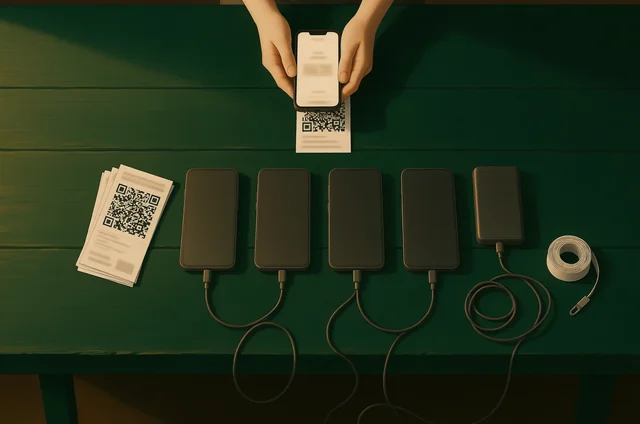
Work through this the afternoon of the event, not at doors:
- Charge every device to full and stage battery packs at each lane.
- Log each staff member into their own account and confirm their role only permits what they need (scan and look up, not refund and edit).
- Scan one real ticket of every type on sale: GA, VIP, table packages, comps, guest list entries, and any third-party or transferred tickets. Confirm each returns the expected result.
- Verify the ticket design itself renders the code large and high-contrast. Guidance on how to create mobile tickets consistently points to the same basics: a big, quiet-zone-respecting code beats a pretty layout with a tiny barcode buried in artwork.
- Test with the venue's actual lighting. A scan that works in the office fails fast under a dark doorway with a phone flashlight as the only light source.
One timing rule worth adopting from event organizers who run seasonal gates: TicketLeap's fall operations recap advises testing apps and hardware at least three business days before the event, specifically so there is time to get vendor support involved if something is broken. Same-day testing finds problems; three-day testing fixes them. A tool that would genuinely help here is a pre-door readiness checker: punch in your event date, lane count, and device list, and it spits out the test sequence with a countdown.
How do we scan tickets at the door when the network drops?
The short answer: pick a scanning system with an offline mode that validates against a locally synced ticket list, and download that list before doors open. Then the network dropping is an inconvenience, not a closure.
This matters more than most operators assume. Packed rooms kill cell signal on their own (a thousand phones competing for the same tower), and outdoor or basement venues start with weak coverage. The team behind mobile barcode scanning for events at Promotix puts it bluntly: if your scanner only works well with perfect internet, that is a risk, not a solution, and operators should plan for weak signals, crowd surges, and last-minute staff changes as normal conditions.
Offline mode has one real tradeoff to manage: duplicate detection across lanes. If Lane A and Lane B are both offline, a screenshot of a ticket could scan "valid" at each. Mitigate it with three habits:
- Sync the device list as close to doors as possible, so will-call and last-minute sales are included.
- Reconnect devices whenever signal appears, even briefly, so validation states merge.
- Keep one lane on the venue's wired wifi (if it exists) as the "source of truth" lane for anything questionable.
VenueStack's check-in flow follows this same model: tickets validate at the door against synced event data, and the pass scanning guide covers how validation states behave so door staff know what each result means before they see it under pressure.
How many entry lanes and staff do we need for our volume?
Plan on one staffed lane per 150 to 250 expected arrivals in your peak hour, then add one floater. The exact number depends less on total attendance than on arrival compression: a nightclub where 600 guests arrive between 11:30 and 12:30 needs the same lane count as a festival gate moving 600 per hour, even though the festival scans 4,000 across the day.
A single trained scanner with a phone and cooperative guests moves roughly 10 to 15 people per minute when every scan is clean. That number collapses the moment a guest fumbles for the ticket, the screen is cracked, or the ticket needs a lookup. Budget for the messy average, not the clean best case, and assume 30 percent of your peak-hour arrivals will present some friction.
Staffing beyond the scanners matters as much as lane count. High-volume gate guides, including this ticket scanning and gate entry breakdown from Big Tickets, treat the door as a system: scanners scan, a line-prep person walks the queue telling guests to have tickets open and brightness up, and a troubleshooter pulls exceptions out of the line so a failed scan never blocks the lane behind it. That troubleshooter role is the single highest-leverage hire on a busy night. One person with a tablet and authority to make judgment calls keeps every other lane moving.
For festivals running multi-lane gates, the festival entry operations side of the house adds one more layer: a lane lead who watches throughput across lanes and rebalances the queue before one line backs up.
What should the scanner actually show staff after each scan?
Three states, in plain language: valid, invalid, already redeemed. That is the whole interface requirement, and it is worth being demanding about it.
The Promotix guidance quoted earlier describes the standard well: staff should be able to open the app, scan immediately, and get a clear result with no guesswork, no lag, and no confusing status language. Every design decision at the door should protect that clarity:
- Color plus sound, not color alone. A green screen is invisible to a scanner watching the guest, not the phone. Distinct audio tones for valid and invalid let staff keep eyes on the line.
- Big type. If the door person has to lean in to read the result, the result is too small.
- No ambiguous states. "Pending" or "unverified" at the door means the system is asking a line worker to make a policy decision. Fold edge cases into invalid-with-a-reason (wrong event, wrong date, refunded) so the response is trainable.
Speed of the result matters as much as its clarity. Anything over about two seconds from scan to verdict starts compounding across a long line. If your app is consistently slower than that on event-night hardware, the fix is usually a leaner device (close everything else, disable notifications, full brightness) before it is a new platform.
How do we handle duplicate scans and screenshots?
Treat every duplicate scan as a lookup, not an accusation. Most duplicates are innocent: a couple who each screenshotted the same ticket, a group where one person bought four and everyone wandered to different lanes, or a guest who was scanned, stepped out for a phone call, and came back.
The workflow that keeps this calm:
- The scanner sees "already redeemed" with a timestamp. That timestamp is the tool.
- If the scan was seconds ago at another lane, the original holder is probably right behind or beside this guest. Check.
- If it was scanned 40 minutes ago, pull the guest to the troubleshooter, look up the order by name or email, and check ID against the purchaser.
- Only after the lookup do you make the call: admit, deny, or sell a replacement.
Screenshots deserve a policy decision before the night starts. Static QR codes can be forwarded freely, which is why large-scale issuers have moved against them: TicketNews reported in March 2026 that Ticketmaster's redesigned mobile tickets add rotating barcodes and protections that block screenshots and screen recordings on iOS and Android, part of more than $1 billion invested over the past decade in anti-fraud ticketing technology. Your venue does not need that machinery, but it does need a stance. Common options: accept screenshots but rely on duplicate detection to catch shared ones, or require the live app or wallet pass and say so in pre-event messaging. Whichever you pick, tell guests in advance, because the worst place to introduce a ticket rule is at the front of a line.
The TicketSpice help center's walkthrough on how its scanning app handles tickets shows how mainstream apps surface the redeemed state and order lookup, and the pattern is similar across platforms, including the ticket check-in workflow in VenueStack: the scan flags the duplicate, the order record settles it.
What is the right process for will-call and name lookups?
Will-call works when it is a lookup lane, not a scanning lane. Separate the two physically, even if "separate" just means a podium three feet to the left of the main line.
The lookup itself should take under 30 seconds: search by last name or order email, confirm with ID or the card used, check the guest in directly from the order record, done. If your door staff are scrolling an alphabetical list on a printed sheet, that is your bottleneck, and it is a solvable one. Modern check-in tools search the full guest list from the same device doing the scanning, so the distinction is a staffing choice rather than a technology limit.
Two habits make will-call painless. First, send a pre-event message telling guests exactly what to bring (the name on the order, ID if you check it) and what not to do (do not buy under a friend's name if the friend is not coming). Ticketmaster's know-before-you-go fan communications guidance exists for a reason: most will-call friction is created days earlier by unclear instructions, not at the door. Second, give the lookup person the same authority as your troubleshooter, or make them the same person. A will-call agent who has to find a manager for every edge case is a second queue.
How do we scan for split groups, transfers, and partial arrivals?
The answer depends on whether your tickets are individually coded or grouped under one code, so decide that at event setup, not at the door.
Individually coded tickets (one QR per guest, even on a four-ticket order) are the cleaner option for nightlife and festival entry. Each person scans their own, arrivals can split across an hour, and duplicate detection works per person. Grouped tickets (one code admits four) scan faster once but create the classic door argument: two of the four are here, the other two are "five minutes away." If you run grouped codes, your scanner needs a partial-redemption state, and your staff need a script: the ticket admits however many are present, the remaining entries stay open on that code, and the latecomers find the purchaser, not the scanner.
Transferred tickets (a guest bought from a friend or a resale) should validate identically to originals if your platform re-issues the code on transfer. If a transfer only forwards the original barcode, you are back in screenshot territory with all the duplicate risk that carries. This is one of the quiet reasons operators gravitate toward systems where the ticketed events workflow keeps every ticket, transfer included, tied to a live record in the venue's own account.
What should we check the morning after a scanned event?
Pull the entry data before you touch anything else: scans per lane per 15-minute window, the invalid and duplicate counts, and the gap between tickets sold and tickets scanned. Those four numbers tell you where the door strained and whether it ever broke.
The sold-versus-scanned gap deserves a second look every time. A small no-show rate is normal; a large one on a night where the line felt endless usually means scan failures were quietly waved through, which means your capacity count was a guess. The ticket sales report view is the natural place to reconcile sales against entries, and venues running nightclub door operations weekly can turn that reconciliation into a standing habit rather than a post-mortem. Over a month of events, the duplicate-scan log also becomes fraud intelligence: the same order ID appearing as "already redeemed" across multiple nights is a reseller problem you can act on.
None of this works if the scanning data lives in a different tool than the sales data. That fragmentation is exactly the reconciliation tax most venue teams are already paying, and the door is where it shows up first.