⌘K
Loading articles…
⌘K
Loading articles…
Approve guest list names
Updated
Every guest list name waits for you before it gets in. You approve names on the Guest List page, one night at a time.
Open a night's names
- Go to Guest List in the sidebar. On a phone, it's in the menu.
- Choose Upcoming, Past or All, or search for a night. Each night shows how many guests are on the list, how many arrived, and how many names are waiting.
- Click a night.
You can also open a night from the events calendar with View guest list in its menu, or with Review on a Pulse alert.
Approve or decline names
- Under Show, choose Waiting, On the list, Declined or taken off, or All names. Under From, choose one promoter, or Your event page for guests who asked on your ticket page.
- Click Approve on a name, or the X to decline it. When two or more names wait, Approve all approves every one of them.
- To take an approved guest off, click Take off. Their QR codes stop working.
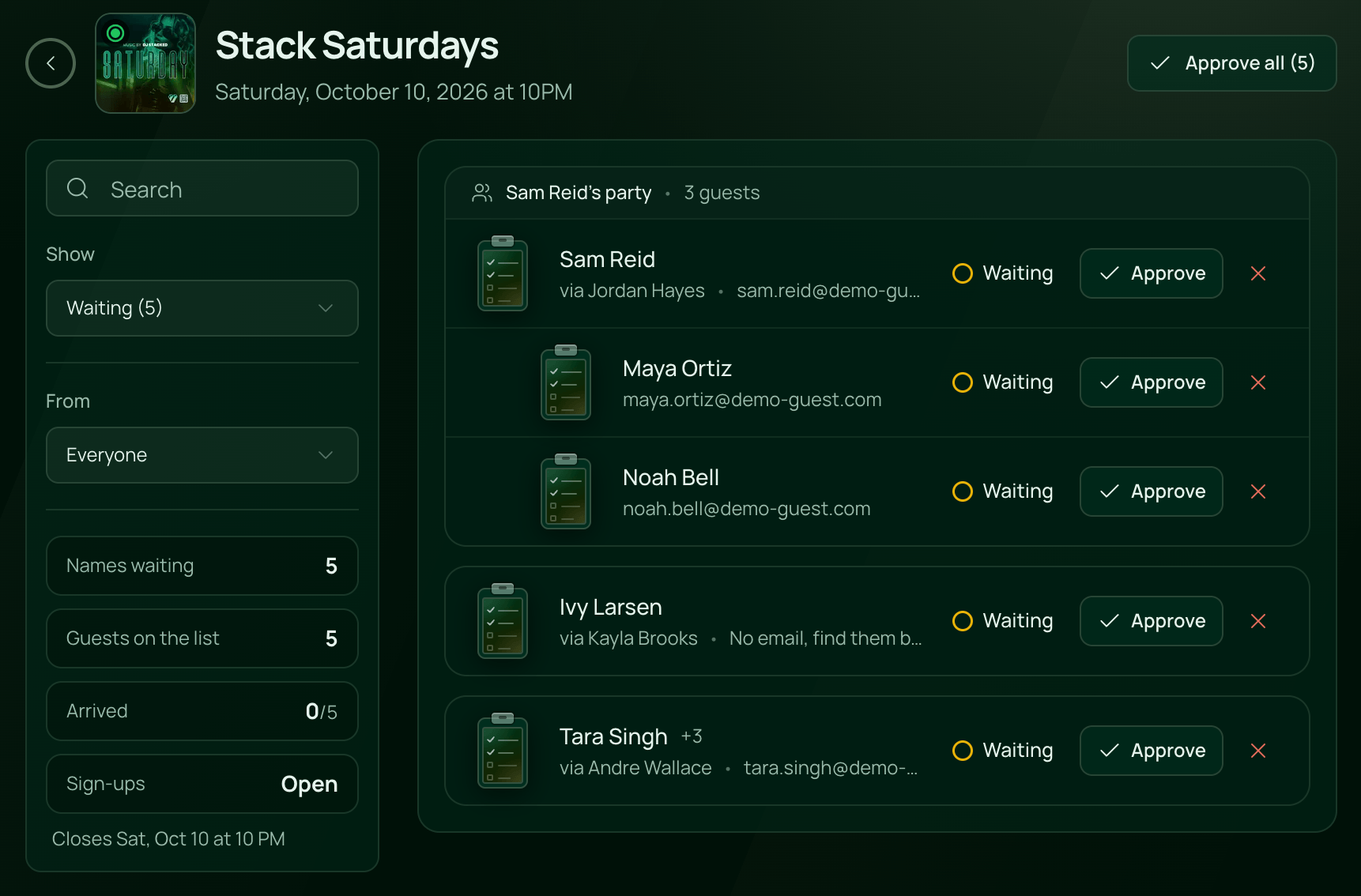
Each name shows who brought it and its email. Friends who signed up together share one card, named after the guest who signed them up. A +2 beside a name means the promoter added two more people to it. The figures show Names waiting, Guests on the list, Arrived, and whether Sign-ups are open.
Approving sends each guest with an email their own QR code. A name without an email gets nothing by email; the door finds it by name.
Know when names are waiting
- Owners and anyone with Full Access to Tickets get a Guest list alert, by push and in the bell, when new names wait. It comes at most once every 10 minutes per night. See Notifications.
- Pulse has a Guest list tile. A name still waiting after 15 minutes, or the time you set in its rules, becomes an alert. See Act on Pulse alerts.
 VenueStack on your phoneRun your venue from your pocket.How to install