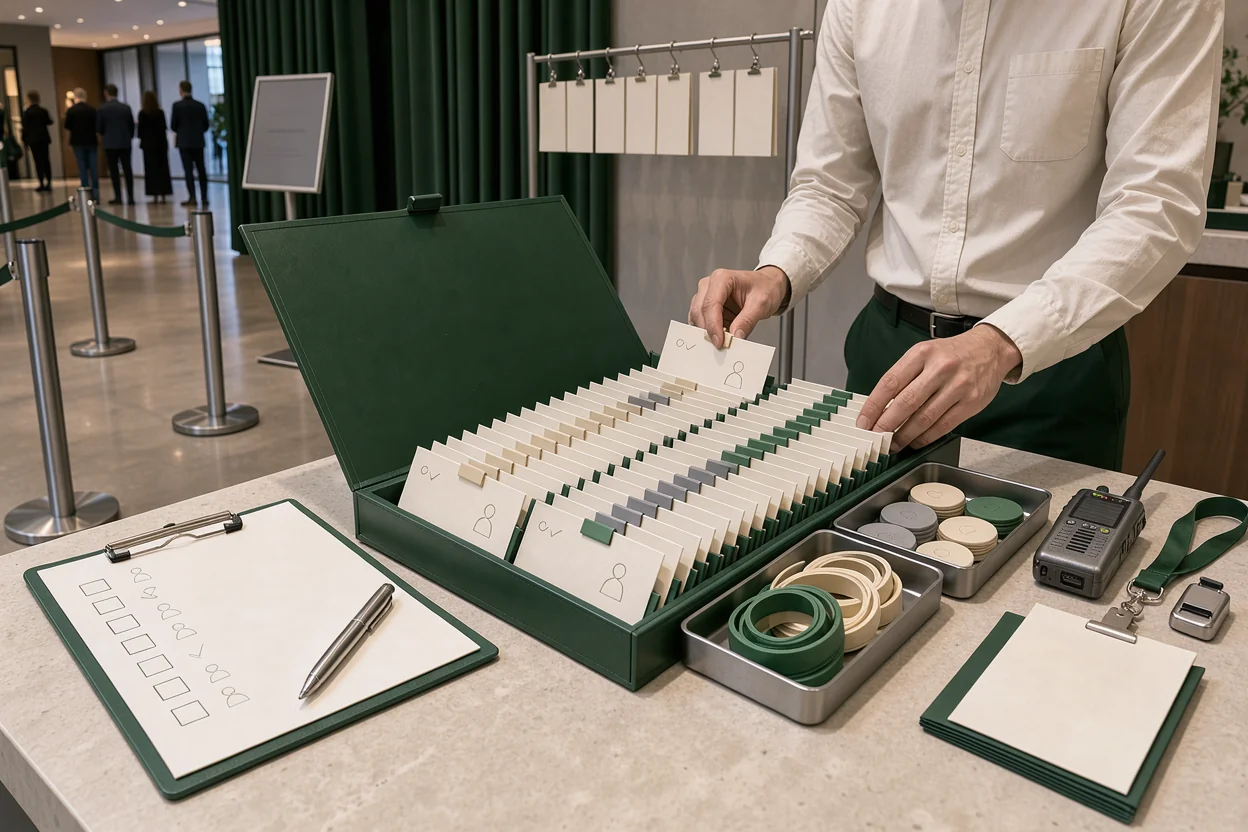
For venue teams, offline ticket scanning during internet outage conditions has one job: keep admissions moving without losing control of who gets in. Choosing the best app means checking what it saves before doors open, how disconnected devices handle duplicate tickets, and what happens when the connection returns.
The shortlist below compares four scanner setups by venue fit, cost questions, limitations, and the evidence each needs before purchase. Vendor-specific offline capabilities and prices are unverified here, so these are conditional buying options. Choose the setup that matches your door operation, then require the exact app and devices to pass an outage drill.
A nightclub with one entrance and a festival with several isolated gates need different proof.
What an offline scanner must prove at the door
An offline scanner earns its place by keeping useful admission information available and making its limits clear to staff. Start with these requirements before comparing camera speed or dashboard design.
Saved tickets and usable admission rules
A camera can read a QR code without proving that the ticket permits entry. The app needs enough saved information to make the admission decision.
Ask whether each device can retain the event list, ticket identifiers, ticket types, admission status, and details needed for exceptions. Then check whether staff can search by name when a guest cannot display a code.
The saved list also has a cutoff. A ticket sold or canceled after the last successful download may need different handling.
Connect list preparation with your guest list door management process. Assign someone to confirm the final download on every device.
Duplicate checks across disconnected devices
Ask two separate questions: can the scanner recognize a ticket it already admitted, and can another scanner recognize that same admission?
Two phones without a communication path cannot exchange a new check-in. A duplicate warning on the first phone therefore proves little about the second.
A working local network could provide a communication path during an internet outage, but the app must explicitly support that arrangement. Do not assume nearby devices share admission records.
Require a demonstration using the same ticket on two disconnected phones.
Re-entry and counts after reconnection
Re-entry needs a defined rule. Staff must know whether a returning guest needs a recorded exit, a separate credential, or supervisor approval.
Attendance also needs clear definitions. Unique guests admitted, total entry scans, and current occupancy measure different things. Re-entry can increase scan totals without adding another unique guest.
Treat connectivity as one of several QR check-in failure points. Ask how the app distinguishes successful admissions, rejected attempts, exits, and unresolved conflicts after reconnection.
Four scanner setups worth considering
These options group scanner apps by how they would fit your operation. Each has a useful buying case, provided its offline behavior passes the stated proof requirement.
Your ticketing platform’s companion scanner
This is the first setup to evaluate when tickets already live in one platform and your admission rules are straightforward. It may reduce the need to move ticket records between systems.
The capability to seek is a complete event download with clear confirmation that the device is ready for disconnected use. Staff should be able to identify the event and list freshness before opening the lane.
For cost, confirm whether scanning requires a particular subscription, additional staff accounts, device allowances, or paid access controls. No price is established here.
Its main limitation is dependence on the platform’s actual offline implementation. A shared account does not prove that disconnected devices share new check-ins.
Ask for an airplane-mode demonstration covering a valid ticket, a repeat scan, name lookup, and reconnection. Keep this option on the shortlist if it passes with your existing ticket types and door devices.
A standalone scanner with an imported guest list
A standalone app is worth considering when admission records need to come from another system. Its fit depends on reliable imports and a manageable update process.
Look for a way to preserve unique ticket identifiers, map required fields, and confirm which records reached each device. Names alone may be insufficient for matching guests with similar details.
The cost comparison should include staff time spent preparing files, correcting imports, and reconciling results. Ask separately about app access, supported formats, and export permissions.
The main limitation is list freshness. An imported snapshot needs a defined process for later sales, cancellations, transfers, and guest changes.
Require a sample import and a return export that preserves identifiers and admission results. Choose this setup only if someone owns both the final list update and the post-event reconciliation.
A scanner app that supports a local gate network
This setup deserves attention when several scanners need to exchange admissions while the venue’s internet connection is unavailable. It is a candidate for multi-lane entrances or gates within a workable local network.
The capability to seek is documented device communication over that network without an internet connection. Ask which component coordinates check-ins and what happens if it becomes unavailable.
Cost questions extend beyond the app. Depending on the proposed design, ask about networking equipment, setup, power, support, and spare hardware.
Its limitation is the local connection itself. A phone outside coverage may lose the communication path that the admission plan depends on.
Require two demonstrations: internet disconnected with the local network running, then one scanner disconnected from that network. Shortlist this approach only after the supplier explains and demonstrates both states.
A managed admissions setup with dedicated scanning devices
A managed setup is worth evaluating when the event needs supplied equipment, assigned technical support, and a documented gate plan.
Look for clear responsibility across ticket loading, device preparation, scanner replacement, and reconciliation. Dedicated equipment still needs proof of the same offline admission rules as a phone app.
Request a complete cost breakdown. Ask about equipment, staffing, setup, support hours, replacement arrangements, and data access after the event.
The limitation is operational dependence: the agreement must say who handles failures and who retains the records needed to resolve them.
Require an outage rehearsal with the proposed devices and an example of the resulting admission report. Choose this route when the documented support arrangements and tested workflow justify the added coordination and expense.
Match the setup to your entrances and sales cutoff
The strongest scanner choice depends on where guests arrive and how ticket records change during admission.
For a venue with one controlled entrance, start with the existing platform’s app. Test the whole workflow on the device that will run that lane, including the backup device. Establish how control transfers if the primary phone fails.
For several entrances, require evidence of shared admission updates or create a workable restriction on where tickets can enter. Assigning tickets to gates can reduce overlap only when guests and staff follow that assignment.
Continued online sales create another decision. If door devices cannot receive updates, decide whether to pause sales, route recent purchases to a connected exception desk, or use another verified process.
A faster check-in flow also needs somewhere for exceptions to go. Keep unresolved tickets out of the main scanning lane and give one supervisor authority to decide them.
Write the sales cutoff, gate rules, and exception route into the door brief.
Run a two-device outage drill before buying
An outage drill turns an app’s offline claim into observable admission behavior. Use test tickets and the exact device models, staff permissions, and app configuration proposed for the event.
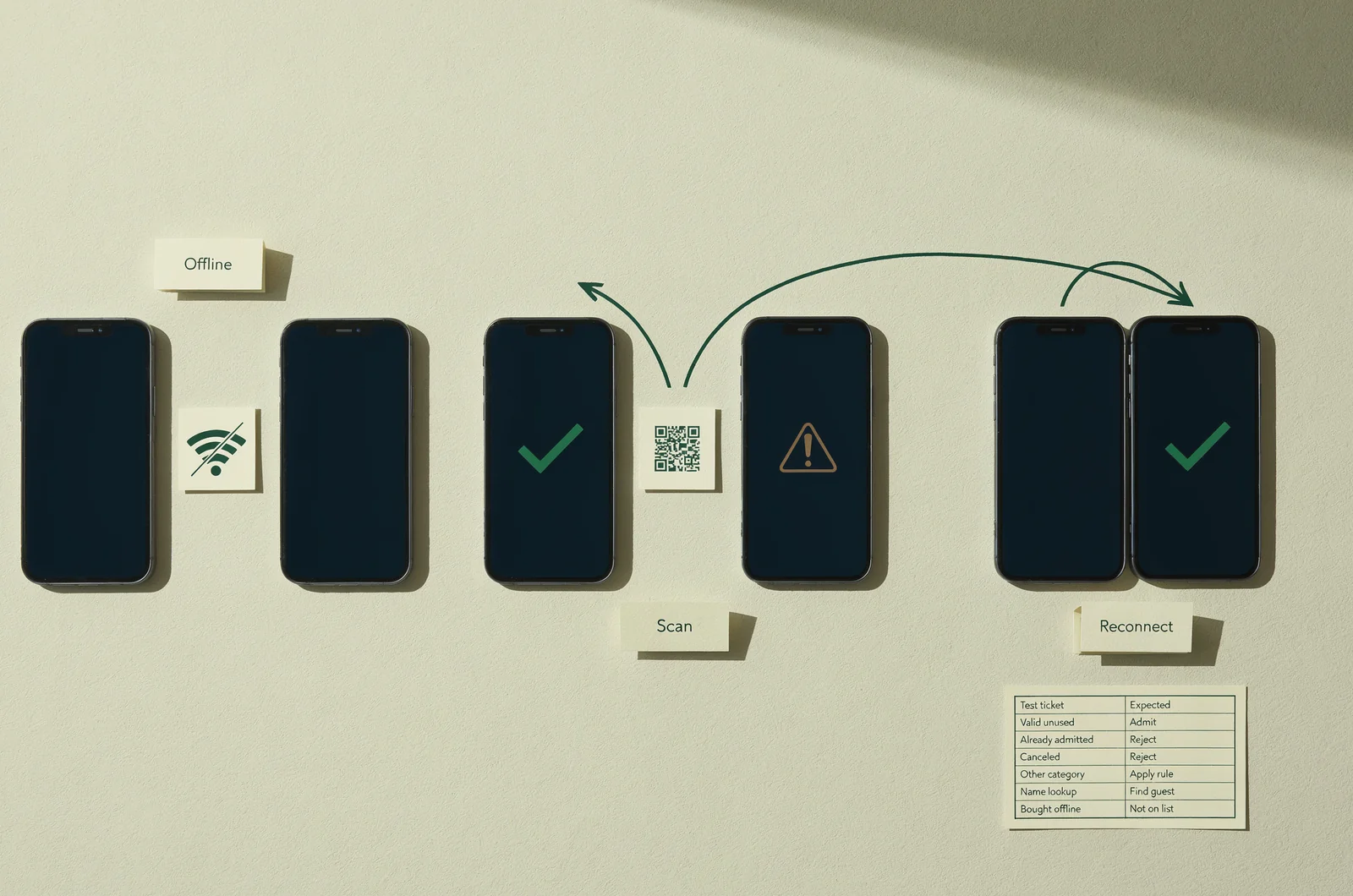
Prepare the list and introduce a late change
Download the event to two devices while connected. Record how each device confirms readiness and when it last received updates.
Include test records for:
- A valid unused ticket.
- A previously admitted ticket.
- A canceled ticket.
- A ticket with a different admission category.
- A guest who needs name lookup.
- A ticket purchased after the devices disconnect.
Use these records to check both routine admission and exception handling. If a category cannot be evaluated offline, write down the fallback instruction.
Repeat the preparation on the backup device. A charged spare phone is useful only if it has the records and access needed to take over.
Challenge duplicate checks and re-entry
Disconnect both phones from all networks. Scan the valid ticket on the first phone, repeat it there, then present it to the second phone.
Record every result. If the second device admits the ticket, determine whether the proposed operating plan can tolerate or control that gap.
Next, rehearse an exit and return using your intended re-entry rule. Staff should be able to distinguish a legitimate return from an attempted duplicate admission.
Include manual overrides and supervisor actions in the exercise. Fold the results into your mobile ticket scanning practices, with instructions staff can follow during a queue.
Reconnect and account for every admission
Reconnect one device while the other stays offline. Confirm what uploads, what the connected device can see, and how incomplete synchronization appears.
Then reconnect the second device. Check whether conflicting records remain visible and whether the report distinguishes unique tickets from entry attempts.
Compare the final report with the known test sequence. Every accepted admission, rejected attempt, exit, and override should have an explainable result.
A useful interactive buying checklist would capture device count, gate count, continued sales, and re-entry rules, then return the specific tests required for that setup.
Keep the completed drill record with the app version and device configuration used.
Where VenueStack fits a wider venue decision
VenueStack is a later consideration for operators comparing admission tools alongside table bookings, deposits, guest lists, and reporting. Its described scope brings those activities together with ticketing and check-in.
That context matters when the door needs to distinguish a ticket holder, a table guest, and a reservation contact. Define which person or credential counts as an admission before comparing software.
The available information does not establish VenueStack’s offline list storage, cross-device duplicate handling, re-entry behavior, or reconnection process. Those points need direct confirmation before an outage-dependent purchase.
If you are evaluating broader event venue software, include those offline questions alongside booking and reporting requirements. Ask for the same two-device demonstration required of any other candidate.
Keep the buying decisions connected: the system must support the venue’s booking workflow and pass the admission tests required for its doors.
Questions to settle before doors open
Offline scanning needs a shared operating rule as well as a suitable app. Resolve these questions with the door team before guests arrive.
Can every scanner use the same downloaded list?
They can be given the same starting records if the app supports that process. The unresolved issue is whether they exchange subsequent admissions.
Without communication, each device may retain a different account of who has entered. Confirm cross-device behavior and set lane restrictions or an exception process where necessary.
Record which device is responsible for each lane.
What happens to tickets sold during the outage?
A disconnected scanner cannot receive a new sale through the unavailable connection. Its response depends on the app and the information already stored.
Decide how staff will verify a recent purchase without relying on an unsupported assumption. A purchase confirmation needs an admission procedure that also addresses previous use.
Assign recent-sale exceptions to a named role.
Does a successful upload mean the attendance total is correct?
An upload confirms data transfer only to the extent shown by the system. The resulting count still needs an agreed definition.
Check unique admissions, repeat scans, exits, overrides, and unresolved conflicts separately. Re-entry records should remain understandable after the event.
Reconcile the report against the door log before accepting the final attendance figure.
Which setup should a venue choose?
Start with the simplest setup that passes every required outage test. A single-door venue may find its existing platform’s scanner sufficient. Several disconnected gates require stronger evidence of coordination or stricter admission controls.
Let demonstrated behavior decide the purchase. Keep the failed tests visible, and exclude any app whose unresolved limitations conflict with the event’s gate plan.