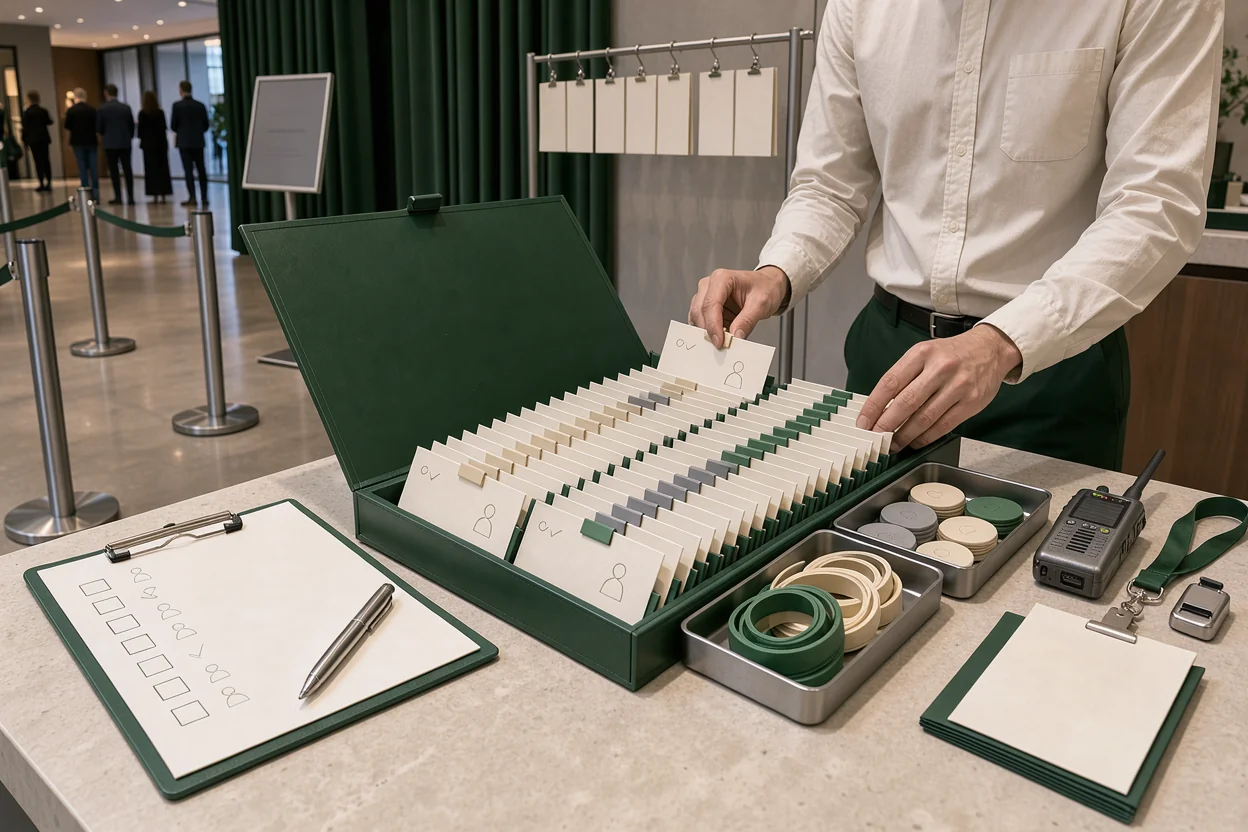
Corporate event guest list organization breaks down when the client’s spreadsheet, the reservations team’s notes, and the door list disagree. For a corporate buyout, your roster needs to show who is expected, what each person can access, and who can approve an exception.
Use this checklist from the first client handoff through the final door briefing. The finished state is one current attendee roster, clear company and guest categories, and an arrival plan staff can follow without calling the event manager for every mismatch.
Agree on who can change the corporate roster
A corporate guest list needs a named client approver and a named venue owner before invitations go out. Record a backup for each person, along with their event-day contact details.
Decide which changes require client approval. Adding an employee, replacing a guest, granting lounge access, and increasing the headcount can have different consequences. Write down who can authorize each action so the reservations team and door supervisor follow the same rules.
Set one submission format and one place for the current roster. The client can gather names from department leads, assistants, or an agency, but those contributions should enter the same review process. Preserve the original submissions separately so you can trace a disputed addition.
Put roster deadlines inside the wider private event booking workflow. Specify the submission date, review date, and final operational cutoff, including the time zone.
Before accepting the first file, confirm what happens after that cutoff. A late request needs an approver, an available guest place, and a recorded decision. Give the client the exact contact route for those requests.
Collect attendee fields your team can act on
The corporate attendee record should answer practical questions at registration, arrival, and service. Require fields that change an operational decision; keep optional details out of the main intake path.
Identity and company affiliation
Start with the attendee’s first name, last name, company affiliation, invitation status, and a unique event record ID. Add an email address when it is needed for invitation delivery or identification. Allow the name the guest will actually give at the door.
Keep the booking company separate from the attendee’s employer. A client buyout may include its employees, agency staff, suppliers, and invited customers. Combining those affiliations under one company label makes later sorting less useful.
Use consistent company names and agreed status values. For example, define whether “confirmed” means the guest accepted or the client approved attendance. Those are different decisions and may need separate fields.
Arrival and service details
Add access permissions, party or reservation reference, plus-one relationship, and assigned host where relevant. Keep arrival status separate from invitation status so a confirmation cannot be mistaken for a check-in.
If you use VenueStack for guest lists and check-in, decide where each field belongs before importing names. Review the customer list tools and confirm what your setup can store and display.
Collect dietary or accessibility requests only when the venue needs them to arrange service. Assign someone to act on them and restrict their visibility to the relevant staff. Finish the field design with a sample record that the client and door supervisor can both interpret.
Remove duplicates without erasing legitimate guests
Deduplication should leave each expected attendee with one active event record and a traceable invitation history. Run this check after each substantial client submission.
Standardize spacing, capitalization, and obvious formatting differences before reviewing possible matches. Compare names alongside email addresses, company affiliations, and reservation references. A matching name alone is insufficient: two colleagues may share a name, and an assistant may submit several guests through one email address.
Treat uncertain matches as a review queue. Ask the client whether two entries represent the same person before merging or canceling either record. Preserve useful notes and the surviving record ID when you resolve a duplicate.
Check replacements separately. When one employee takes another’s place, mark the original invitation appropriately and create or update the replacement’s record. Confirm that any previously issued entry credential follows the agreed cancellation process.
Record the totals before and after cleanup. Every reduction should have an explanation, such as a confirmed duplicate or withdrawn invitation. This gives the client a clear account of why the roster changed.
Complete the check by searching for the surviving attendee record from a door device. Confirm that staff can find the correct name and distinguish it from any canceled entry.
Separate access permissions from VIP attention
Corporate guest categories should tell staff what to do. Keep entry rights, company affiliation, and host attention in separate fields so a broad “VIP” label cannot carry several conflicting meanings.
Access permissions describe where someone may go: the main event, a reserved lounge, a meeting room, or another agreed area. Record the permission explicitly. A senior job title should not automatically change a guest’s access.
Host attention describes the service response. A guest may need a named greeter, an escort to a table, or an arrival notification to the client contact. Write the action and its owner into the event plan.
For every VIP arrival notification, specify the recipient, delivery channel, trigger, and backup. Decide whether the message goes out when the guest checks in or when a host has met them. Test that sequence before doors open.
Keep sensitive guest notes away from broadly visible screens and printed lists. Door staff need enough information to admit and route the person; the assigned host can hold the remaining service details.
The category design is finished when a staff member can read a record and explain the guest’s permitted areas and required handoff without interpreting their title.
Reconcile guest places, plus-ones, and tables
The corporate roster must match the event’s agreed guest allocation and seating plan. Count named attendees, reserved unnamed places, and pending additions separately.
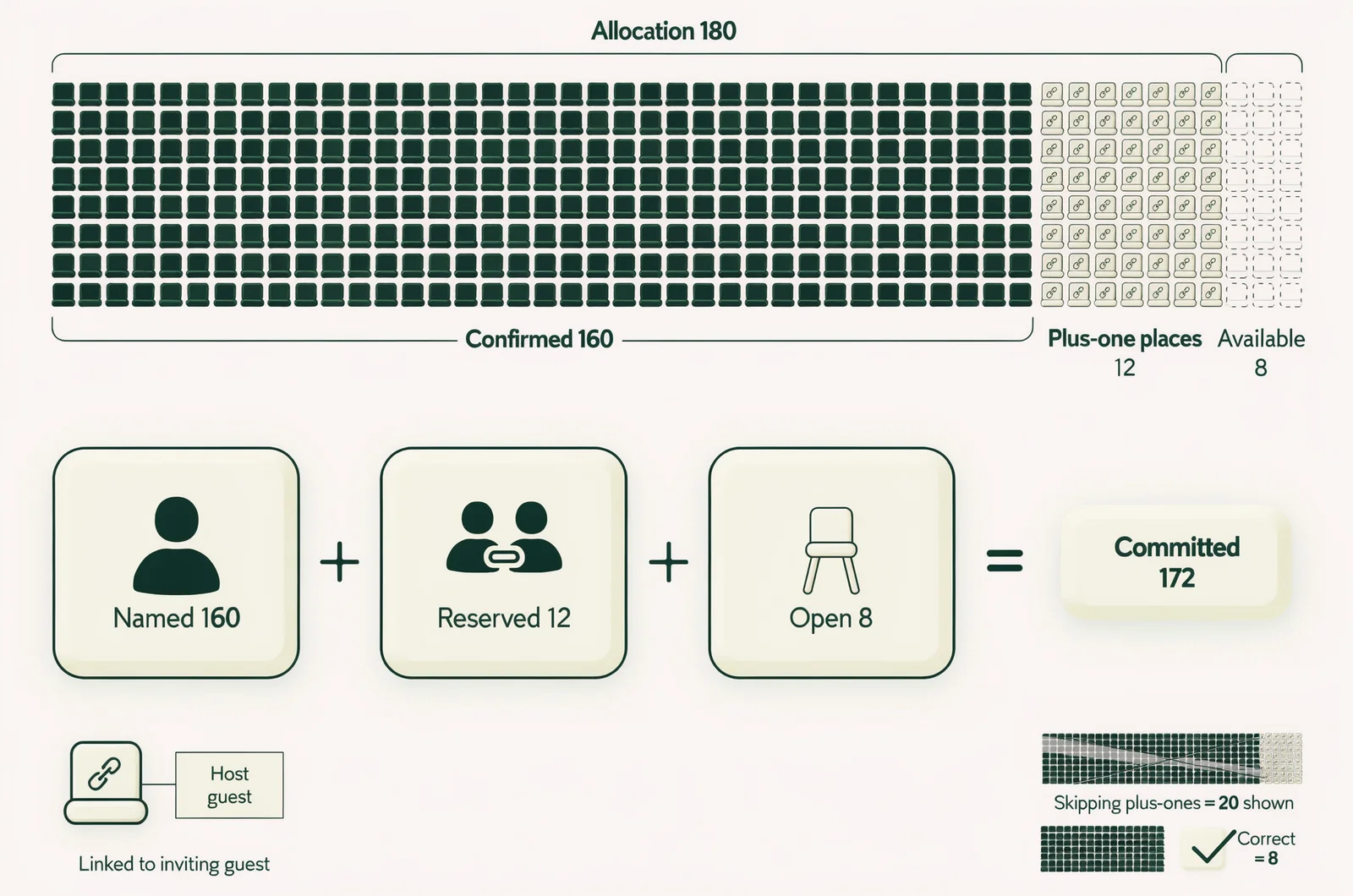
For illustration, suppose a client has an allocation of 180 guest places. With 160 confirmed attendees and 12 reserved plus-one places, 172 places are already committed. Eight remain available. Leaving the unnamed places out of that calculation would overstate the remaining allocation.
Give every plus-one an explicit relationship to the inviting guest. Decide when the name must be supplied, whether the guest can arrive separately, and whether substitutions require approval. Keep an unnamed reserved place distinguishable from a named, confirmed attendee.
Table assignments need the same care. Record the reservation reference and reconcile its party size with the attendee roster. Define whether each person checks in individually and how staff handle a party that arrives in separate groups.
VenueStack brings ticketing, table bookings, and guest lists into one system. Reconcile those records before the final briefing so a reserved table and its named guests agree.
Keep the guest allocation separate from the venue’s occupancy plan. Account for staff, contractors, and other people present through the venue’s normal capacity procedures. Have the responsible manager confirm the event layout and usable limits before approving additional guests.
Give late changes one controlled route
Late corporate roster changes need the same fields and approval rules as the original submission. A message to a staff member should enter the current roster before anyone treats it as confirmed.
Ask the client to submit additions, cancellations, and replacements as distinct requests. Each request should identify the attendee, requested change, submitting contact, and approval status. Preserve the previous value when a change affects access or headcount.
Use the operational cutoff to prepare door devices, table assignments, and host briefings. Continue handling exceptions through the agreed approver after that point. Avoid circulating a replacement spreadsheet without explaining what changed.
The same discipline applies when assistants send revised lists shortly before arrival. These guest list best practices belong in the client handoff so late submissions follow a known process.
Timestamp any exports and identify which roster version they reflect. If a printed or offline copy is necessary, assign someone to record subsequent changes and reconcile them with the main roster.
Close each request with a clear outcome: approved and entered, declined, or awaiting a named decision-maker. Send the client confirmation of the outcome so an unapproved request does not become an assumed invitation.
Rehearse arrivals and VIP handoffs
The guest list is ready for arrival when the actual door team can use it on the actual devices. Run a short rehearsal with sample records that cover both routine entry and exceptions.
Test the normal arrival path
Search for an attendee by the details they are likely to provide. If credentials are part of the event, test one from delivery through scanning and check-in. Confirm that staff can see the result and understand any access restriction.
Try a duplicate scan, a canceled record, and a guest whose party has partly arrived. Define what each result means and who can resolve uncertainty. Include reentry rules if guests may leave and return.
Connect the roster briefing to your guest list management at events procedures. Staff should practice the route from finding a name to recording admission and directing the guest onward.
Move exceptions away from active check-in
Choose a place for unresolved names, transfer requests, and access disputes. Give that position a way to contact the client approver without blocking staff who are processing confirmed arrivals.
Rehearse a VIP handoff too. Check the arrival notification, recipient acknowledgment, and backup response if the assigned host is occupied. Use a manual notification route unless an automatic one has been configured and tested.
For a faster check-in flow, decide where guests wait while an exception is resolved. Brief staff on any connectivity fallback and how to reconcile admissions afterward. End the rehearsal with a named owner for every unresolved issue.
Run a final roster readiness check
Complete this short check against the current roster and the event briefing. Record any exception beside the person responsible for resolving it.
- Confirm that every active attendee has an identifiable record, a clear invitation status, and the required company details.
- Resolve possible duplicates and verify that replacements have the correct active invitation.
- Reconcile named guests, unnamed reserved places, table parties, and available guest allocation.
- Check that access permissions and VIP service actions have separate, readable instructions.
- Verify the late-change approver, door exception contact, and backup notification recipient.
- Test door access, check-in results, and the current fallback copy with the staff scheduled to use them.
A useful interactive checklist would show unresolved records by category: missing identity details, possible duplicates, unassigned plus-ones, and incomplete host instructions. It should let the roster owner open each record and log its resolution.
Keep that readiness view separate from attendance reporting. A fully completed record can still belong to someone who never arrives. Recheck affected categories whenever an approved late change alters the final roster.
Handle the guest details clients ask about
Corporate clients may raise exceptions after the main list is complete. Agree on these answers before handing the roster to the door team.
Can employees transfer their invitations?
Set a transfer rule with the client and record who approves substitutions. An approved transfer should update the attendee details, access permissions, and any issued credential. Check whether a table assignment or host notification also needs to change. Keep the original invitation’s status visible for later reconciliation.
What if an attendee has no work email?
Use the agreed alternative identification and contact process. Company affiliation can remain a separate field, while a personal email or client contact handles delivery where appropriate. Avoid using a shared email address as the sole way to distinguish several attendees. Give each person a separate event record.
Which headcount should the client receive afterward?
Report confirmed attendees and actual check-ins as separate totals. Explain how unnamed reservations, cancellations, and approved walk-ins were treated. Reconcile fallback admission records before sending the attendance report. Agree on who receives the file, which personal details it needs, and how long event-specific copies should be retained.