⌘K
Loading articles…
⌘K
Loading articles…
Promoter pay and access
Updated
One set of settings covers every promoter. You can also set any promoter apart from it.
Set what promoters see and earn
- Go to Settings → Users, choose Promoters, and click Promoter settings.
- Under What promoters see, turn each switch on or off (see the table below).
- Under Commission, choose for Tickets, Tables, Passes and Guest list: No commission, % of each sale, or an amount per ticket, table, pass or guest. Then enter the number. The guest list has no percentage.
- Under Guest list, set Spots per night: how many guests each promoter can put on one night's list. Leave it empty for no limit.
- Click Save.
| Switch | What promoters see | Starts |
|---|---|---|
| Guest names | Who bought or signed up through them, as first name and last initial | On |
| Arrivals | Whether each of their guests has arrived | On |
| Sale amounts | What each sale came to, before fees and tax | Off |
| Commission | What they have earned | On |
Promoters never see a guest's email or phone number, whatever you turn on.
How commission works
- A percentage is of each sale before fees and tax.
- A guest list amount is paid for each guest who is checked in.
- A refund takes back what the sale earned. A partial refund takes back its share.
- A change applies to sales from then on. Past sales keep the rate they were made at.
- Spots per night counts guests, not names, and counts names still waiting as well as approved ones.
Set one promoter apart
- On Promoters, click the promoter's card.
- Change What {first name} sees, their Commission, or their Spots per night. For commission, Venue rate follows your settings and shows what they are. Leave spots empty to use your number, which the box shows as Venue's cap when you have set one.
- Click Save.
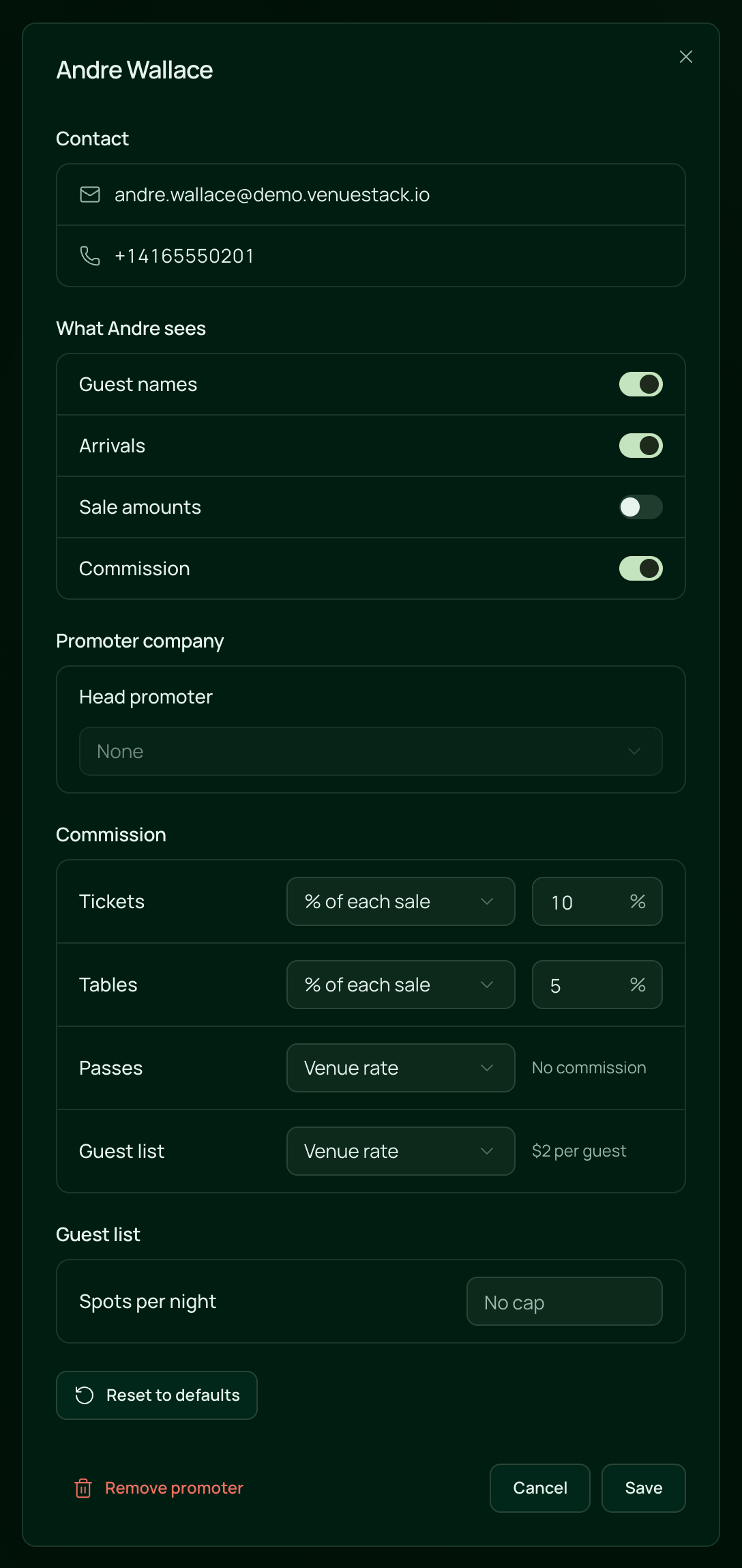
Their card shows Own settings while anything differs from yours. Reset to defaults puts what they see, their commission and their spots back on your settings; click Save to keep it. A sub promoter earns at their head promoter's rates, so their settings show no rates of their own. See Promoter companies.
 VenueStack on your phoneRun your venue from your pocket.How to install