Loading articles…
Loading articles…
The promoter dashboard
Updated
Promoters have a dashboard of their own, apart from yours. It shows only your published nights and what came through their links, as far as your settings allow. Guests' names show as first name and last initial, and never with an email or phone number.
How promoters sign in
Promoters sign in on the same page as your team, with a code sent to their email or with Google. Someone who also works at a venue on VenueStack chooses Promoter from their list. A promoter who works for more than one venue switches between them at the top of the menu.
What's on it
| Page | What promoters do there |
|---|---|
| Events | Copy their link to your whole calendar, or to one night with Copy link. Nights you hid from promoters don't show. |
| Guest list | Pick a night that takes names, click Copy sign-up link to share it, or add a Name with an Email (for their QR codes) and up to 20 guests. They see where each name stands, and the spots they have left. |
| Sales | What came through their link in the dates they pick, and what they earned. Head promoters switch between Your sales and Sub promoter sales. Sub promoters see their company and their share. |
| Sub promoters | Their company, for promoters who aren't sub promoters. See Promoter companies. |
Turn on sale alerts, on the Sales page, sends the promoter a notification on that device for each sale through their link. My account, in their account menu, holds their name and phone. Their email is how they sign in, so it can't be changed there.
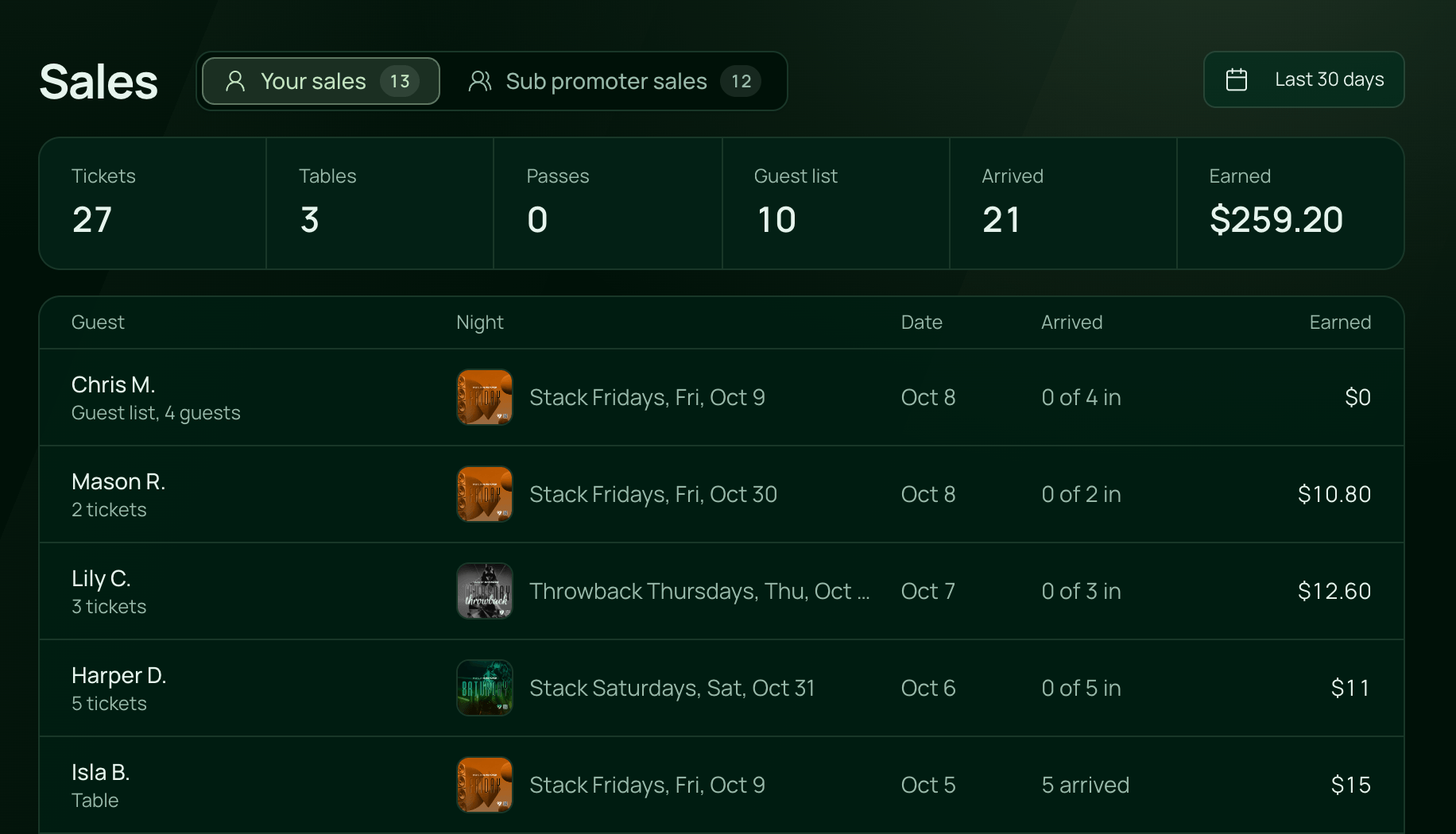
Look at a sample promoter's dashboard
Venues with Settings → Demo Data turned on can add sample promoters, under Promoters and guest list. Owners, and roles with Full Access to Users settings, can open any of their dashboards to see what a promoter sees.
- Go to Settings → Users and choose Promoters.
- Click the eye button on a sample promoter's card. On a phone, open their card and tap Open dashboard.
- Their Sales page opens. Where their account would be, it says Viewing as this promoter, and nothing can be changed.
- Click Back to dashboard to return to your Promoters list.
The view ends on its own after an hour. Real promoters' dashboards can't be opened this way.
 VenueStack on your phoneRun your venue from your pocket.How to install