Loading articles…
Loading articles…
Pay your promoters
Updated
You pay promoters yourself, by bank transfer, e-transfer or cash. Payouts keeps track of it: what each promoter earned on each night, what you recorded paying, and what is still outstanding. VenueStack never moves the money.
See what you owe
- Go to Promoters and choose Payouts.
- Each night shows the revenue your promoters brought in, what they earned, what you paid, what is outstanding and where it stands: Outstanding, Partially paid or Reconciled. Passes are under Other commissions.
- Click a night to see each promoter or promoter company you owe for it.
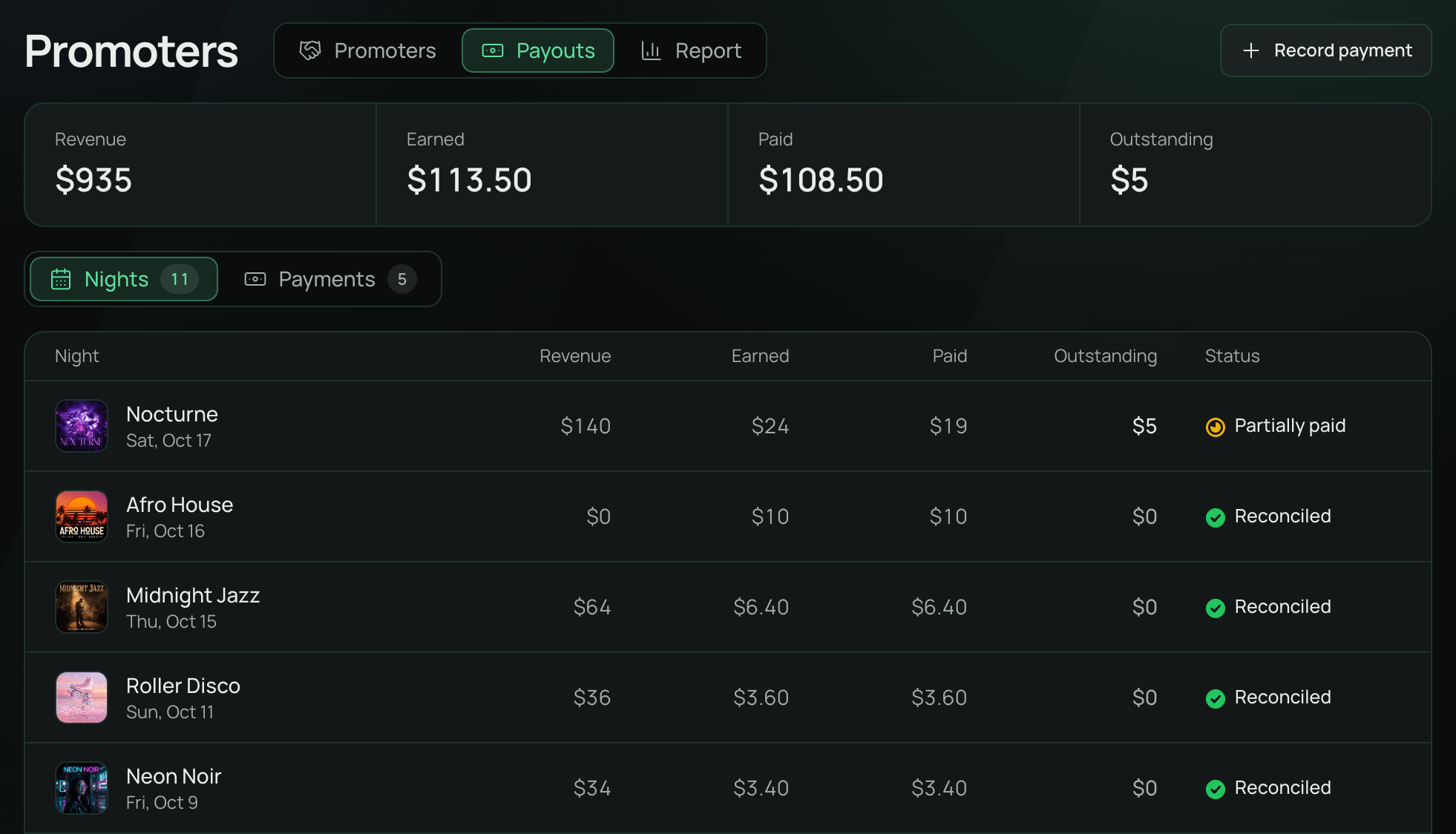
A night shows here once it's over. A night with no end time opens at 6 AM the morning after. Nights before you started using Payouts owe nothing here, but stay in your reports.
Record a payment
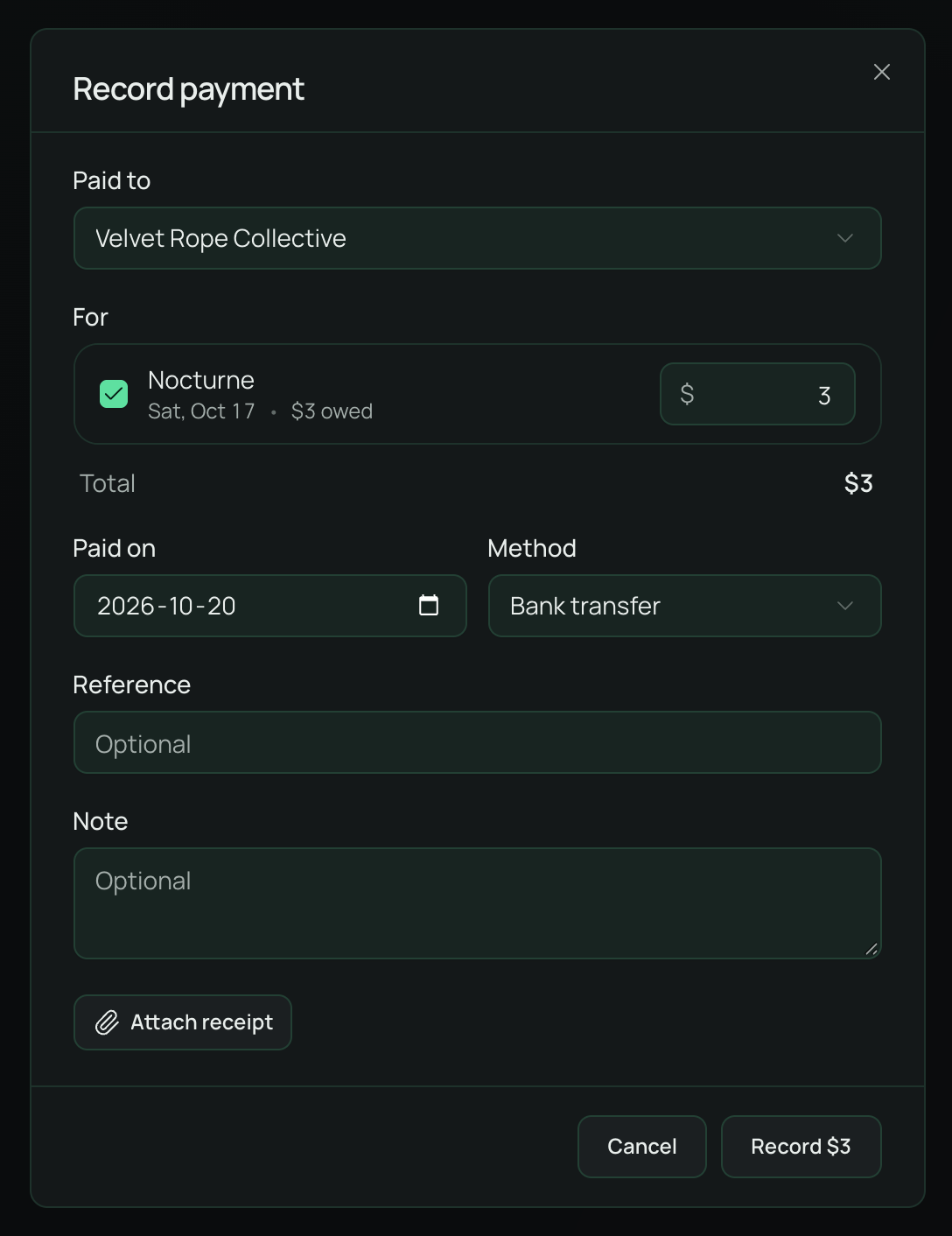
- Click Record payment, at the top or beside a promoter on a night.
- Choose who you paid in Paid to. You pay a head promoter for their whole company.
- Tick the nights the payment covers and enter the amount for each. You can't pay more than is outstanding on a night.
- Enter Paid on and Method. Reference, Note and a receipt are optional.
- Click Record.
The amount counts as paid straight away. The promoter gets an email, and confirms receipt from their own dashboard. Until they do, the payment shows Awaiting receipt, and you can open it to Edit it or Cancel payment. Once they confirm, it shows Received and can't be changed.
Overpaid
If a refund lowers what a promoter earned after you paid them, the night shows Overpaid. The payment stays as it was. Open the night and click Mark reviewed once you have dealt with it. It flags again if the amount changes.
Head promoters and their sub promoters
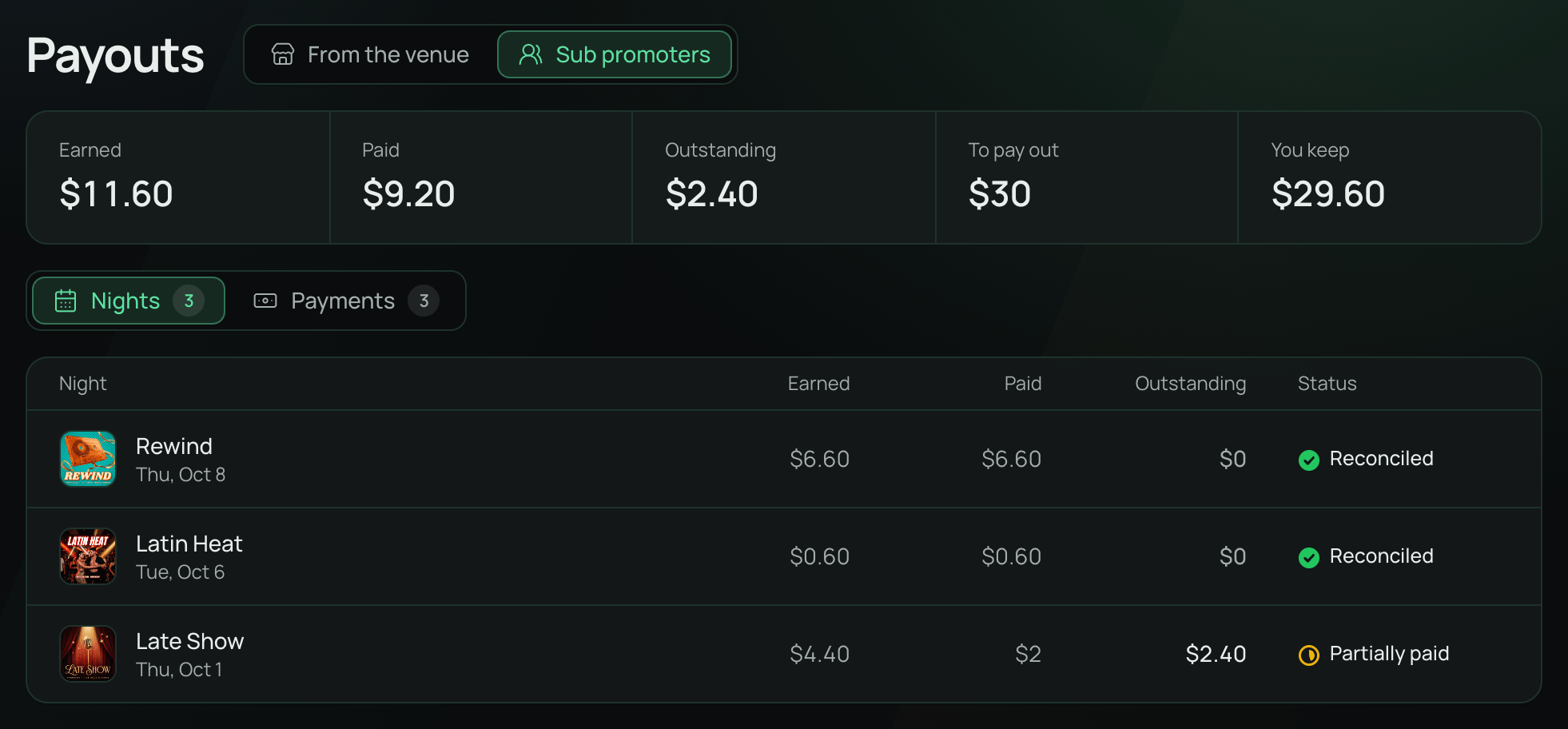
A head promoter pays their sub promoters from their own Payouts page, on Sub promoters, out of payments they confirmed receiving from you. Each sub promoter confirms receipt the same way. Those payments are between them and never show on yours.
Good to know
- Changing a sub promoter's share, or moving them to another company, counts only from then on. Past nights stay owed as they were.
 VenueStack on your phoneRun your venue from your pocket.How to install