Loading articles…
Loading articles…
Promoter companies
Updated
A head promoter can run a company of their own promoters, called sub promoters. Each sub promoter has their own sign-in and link. You pay the head promoter for everything the company sells, and the head decides how much of that each sub promoter keeps.
Put a promoter in a company
- Go to Settings → Users, choose Promoters, and click the promoter's card.
- Under Promoter company, choose their Head promoter.
- Click Save.
Any promoter who isn't a sub promoter can be a head promoter. Someone who already leads a company can't join another. To take a sub promoter out of a company, choose None.
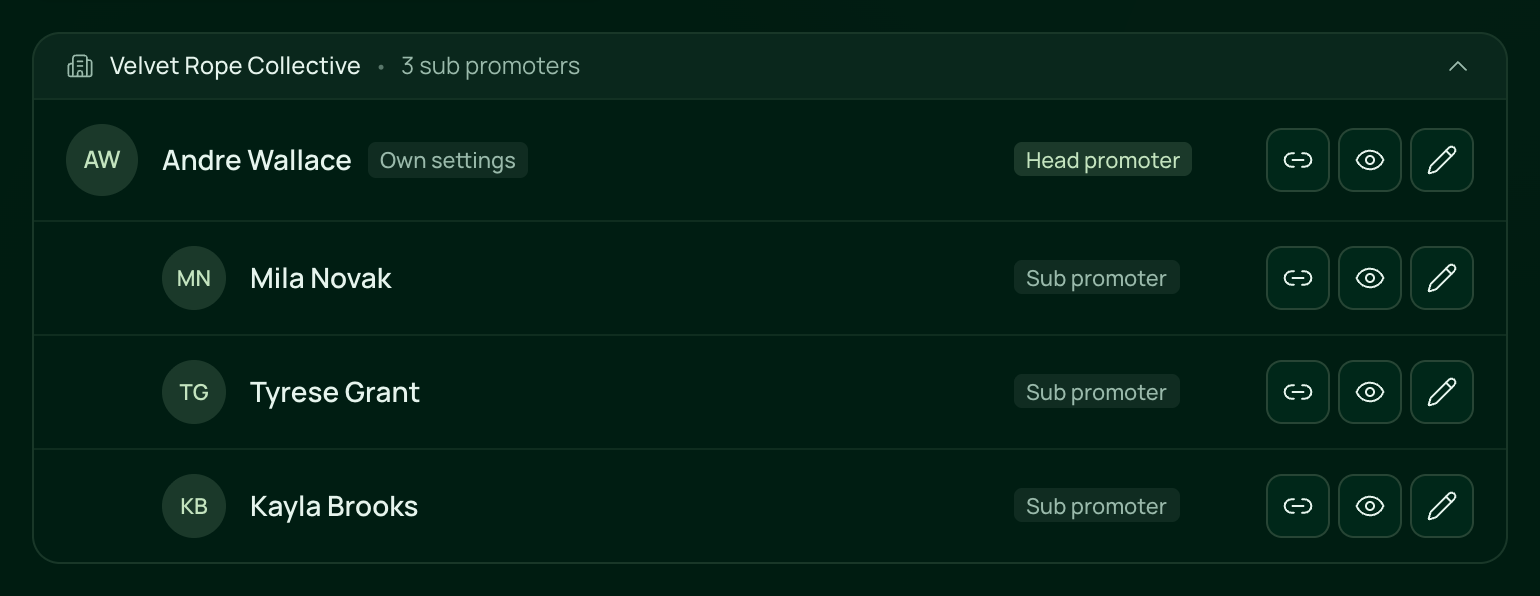
On your list, the company shows as a bar above its head promoter's card, with its name and how many sub promoters it has. Click the bar to show them. Their cards are marked Head promoter and Sub promoter.
What the head promoter does
Every promoter who isn't a sub promoter has a Sub promoters page on their dashboard. There they can:
- Add sub promoter with a name, email and phone. The new sub promoter gets their own invite, and shows on your list in the head's company.
- Rename the company. You and the sub promoters see the name. Until then it reads "{name}'s company".
- Set Their share for each sub promoter: the percentage of what their own sales earn that they keep. It starts at 0%.
- Remove a sub promoter. They can no longer promote for you.
How you pay a company
- A sub promoter's sales earn at their head promoter's rates, and you pay the head.
- Only the head promoter and that sub promoter see the sub promoter's share.
- A sub promoter's own What {first name} sees and Spots per night still apply to them.
- In the promoter report, sub promoters sit under their head, and the head's row shows the company's sales and what you owe for them.
When you remove a head promoter, their sub promoters stay on as promoters of their own, and you pay them directly.
 VenueStack on your phoneRun your venue from your pocket.How to install