Loading articles…
Loading articles…
How guests join the list
Updated
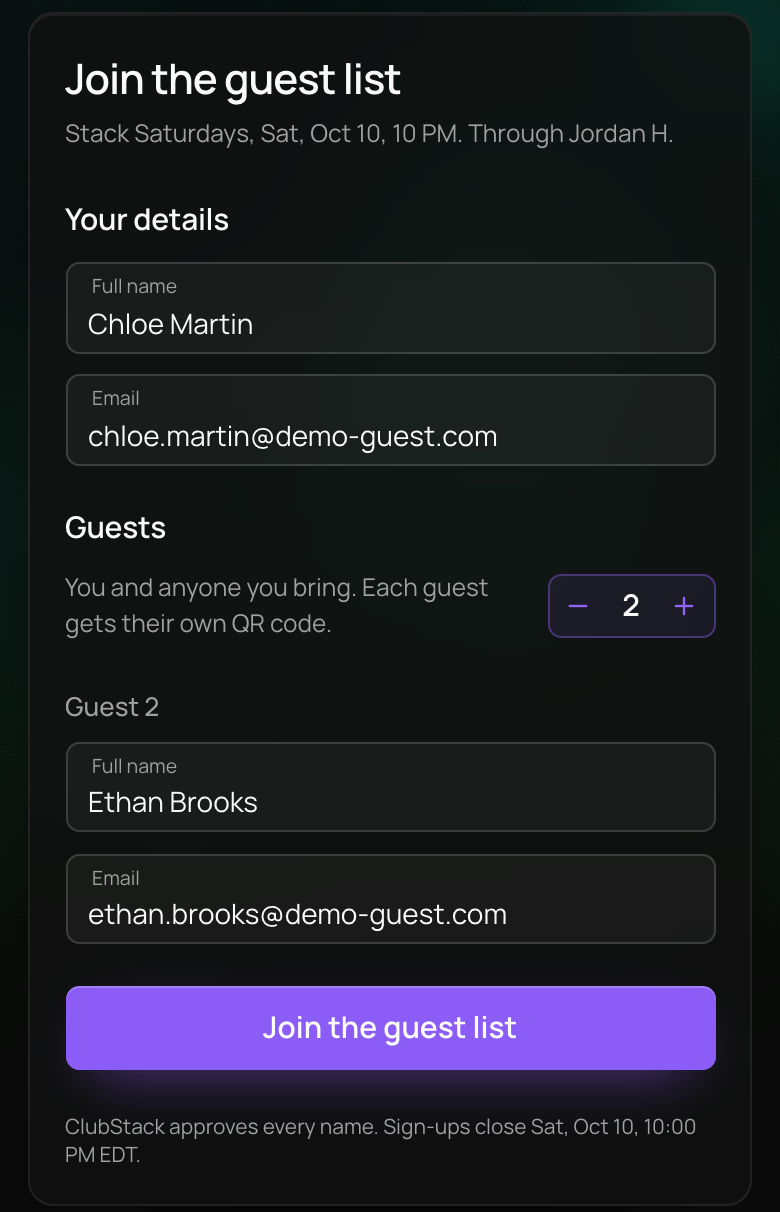
Guests join a night's guest list on a short page of its own. They reach it two ways:
- A promoter's sign-up link. Promoters copy one for each night from their dashboard. The page says which promoter it came through, by first name and initial.
- Join the guest list on the night's ticket page, when you turned on Show on your event page. The sign-up has Back to event, and in a widget it stays inside the widget.
What guests fill in
- Under Your details, they enter their Full name and Email.
- Under Guests, they tap + for each friend they bring, up to 10 guests in all. Each friend needs a Full name and an Email of their own.
- They tap Join the guest list.
They then see Request sent, with each guest marked Pending, and Add to calendar. Nobody is on the list until you approve them.
A guest who signs up through a promoter's link counts toward that promoter's Spots per night. When the list is full, the page says how many places are left. An email can only be on a night's list once.
Once you approve them
Each guest gets their own email, "You're on the guest list" for your event, with View details and buttons to add it to Apple Wallet or Google Wallet. View details opens You're on the guest list, with their QR code and Download QR code. Each person has their own code for the door.
Declining a name, or taking a guest off, sends no email.
When the list is closed
After sign-ups close, the page says The guest list is closed. A night that takes no names says No guest list for this night. A link from a promoter you removed says This link is not active.
 VenueStack on your phoneRun your venue from your pocket.How to install